

Data centers in Ecuador: infrastructure growing with the country
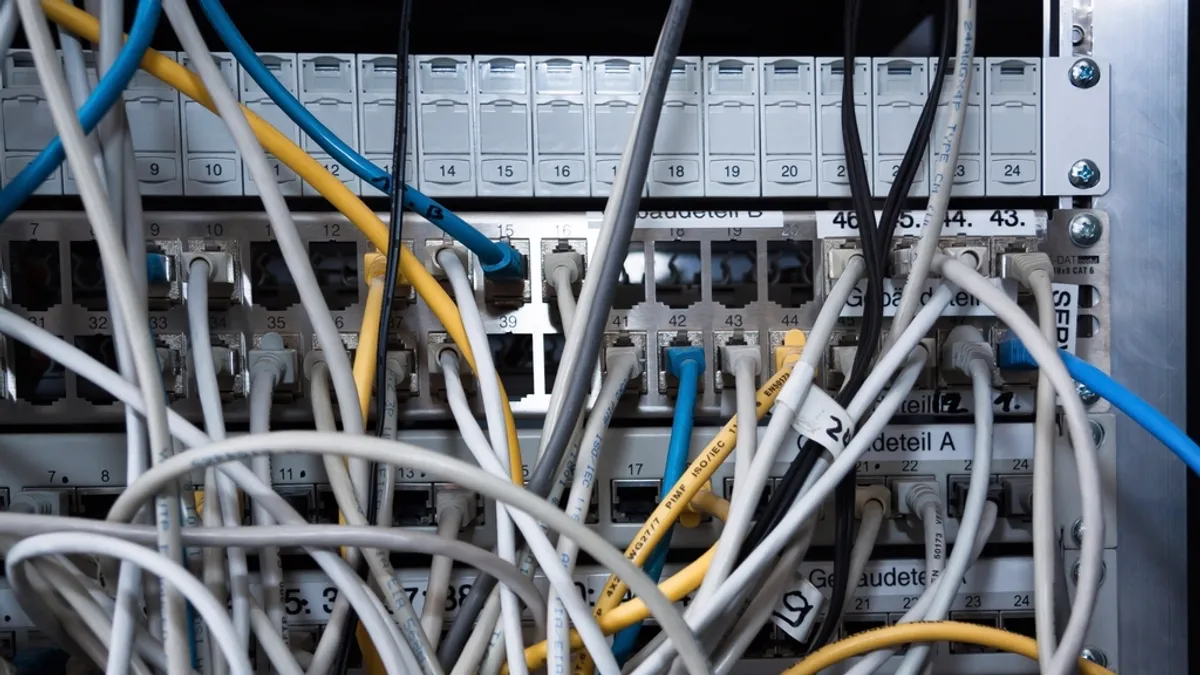
Ten years ago, if you wanted to host your application in Ecuador, your options were limited: your own server or infrastructure abroad. Today there are data centers in the country offering redundancy, security and low local latency. But none works better than the cabling that supports it, and that is a lesson that also applies to an office network.
Why does cabling matter?
A data center is useless without quality cabling: optical fiber, copper of the right category, certified connectors and a tidy installation. Many network problems that look like equipment or provider failures come from loose connectors, cables bent beyond what is allowed, poorly made splices or electromagnetic interference. The invisible causes visible problems.
Connectivity in Ecuador
Companies, startups and public entities need reliable infrastructure, and telecom operators keep extending their coverage. But a fiber reaching your office door is of no use if the internal cabling is poor: the bottleneck stays inside your building.
Copper cabling categories
- Category 3: obsolete, designed for 10 Mbps.
- Category 5e: supports gigabit (1,000 Mbps) up to 100 meters.
- Category 6: gigabit and, over short distances, 10 gigabit.
- Category 6A: 10 gigabit up to 100 meters; a common reference for demanding new installations.
- Categories 7 and above: specific cases; for most SMEs they are more than needed.
For long runs or links between buildings, optical fiber is the option, among other reasons because electrical interference does not affect it.
Redundancy: not a luxury, a design principle
In a data center everything critical is duplicated: internet providers, power sources, independent cable routes. If a fiber is cut, traffic is rerouted. It costs more, but it prevents your platform from being down for hours because someone dug in the wrong place. The Uptime Institute Tier system is a common reference for classifying a data center's redundancy.
Ecuador's geography as a challenge
Ecuador is not a plain: Quito is in the highlands, Guayaquil on the coast and the Oriente is remote. Fiber routes are exposed to earthquakes, landslides and floods. A smart design considers diverse routes, physical protection and preventive maintenance.
What to do: steps for an SME
- Survey the current state: map of network points, cable type, age and condition of the cabinets.
- Certify the links: a cabling certifier measures each point against the standard and delivers a report. Without a report, you do not know what you have.
- Label and document: every cable, port and panel identified. It saves the most time when something fails.
- Separate the routes: keep data cabling away from power lines and equipment that generates interference.
- Tidy the cabinet: cable organizers, respected bend radii, ventilation and UPS-backed power.
- Leave headroom: install more points and capacity than you need today; adding cable later costs far more.
- Plan for contingency: a second internet link or an alternate route for what is critical.
Common mistakes
- Buying cable on price without checking that it meets the standard, or mixing components of different categories.
- Running cables without plans or labels.
- Routing copper next to power cables or equipment that causes interference.
- Installing without certifying, and discovering problems when the system is already in use.
- Ignoring growth, humidity, heat or dust in the equipment room.
Standards and compliance
Hospitals, banks and regulated institutions usually require certified cabling, complete documentation and audits. Standards such as ANSI/TIA-568 for structured cabling and TIA-942 for data centers are common references. It is not bureaucracy: it is the difference between knowing your network and having no idea what happens in the racks.
When to renew and when not to
Renewing makes sense when the cabling is very old, undocumented, cannot support the speed you already contracted or fails intermittently. Not everything must be redone: if the cabling is recent and passes certification, tidying and documenting it is enough. And if your need is small, your own data center may not be worth it compared with hosting in a professional one.
How we approach it at SimCodec
We design and implement structured cabling, from audits of existing cabling to the design of new installations, specification of certified materials and supervised implementation. Learn about our structured cabling service and, if you want to assess your network, write to us. The result is infrastructure that supports growth rather than limits it.
Sources
- Uptime Institute, Tier Classification System.
Why does poor cabling cause so many network failures?
90% of network failures are due to poor cabling: loose connectors, cuts and electromagnetic interference. A data center is useless without quality cabling, using multimode fiber optic, category 6A or higher, and certified connectors.
What structured cabling level does a data center need?
Level 3 is only enough for small offices and limits to 10 Mbps; level 5 is the industrial standard and supports gigabit; level 6A, what data centers need, supports 10 gigabit; and level 7 is ultra-high speed, generally overkill for most cases.
What particular challenges does data center infrastructure face in Ecuador?
Ecuadorian geography —highlands, coast and a remote Amazon region— exposes fiber optics to earthquakes, landslides and floods, so a smart data center plans for diverse routes, physical protection and preventive maintenance. Redundancy (two internet providers, two power sources, independent cabling paths) is also an obligation, not a luxury.