
You

Halo

Q3 2026 report

Sales USD 128.400 ▲ +18 %
New clients 46 ▲ +9
Collections 94 % ▲ +6 pts

Informe_T3_2026.docx
You

Halo

Equipment pickup authorization

General Management
Autorizacion_retiro_equipos.docx
You

Halo

Halo wants to send an email

To
ana.torres@andinadigital.ec
Subject
Autorización de retiro de equipos
Attachment
Autorizacion_retiro_equipos.docx
Cancel Allow
✓ Sent to Ana Torres · 09:42
You

Halo

Scheduled task

Weekly sales report

Every Monday · 08:00

Next run: Monday, October 19

Scroll to see more

Products /

Halo

The AI that works inside Office and Chrome.

Connects AI with your documents, spreadsheets, presentations and web forms. You decide; sensitive actions always ask for permission.

  • Web
  • Word
  • Excel
  • PowerPoint
  • Chrome

One assistant

Connected to the tools you already use.

Halo lives in the side panel of each app and works with the project and model you choose.

01 — Word

Complete proposals, with track changes.

Writes with lists and tables, shortens sections, leaves comments and drafts letters in another window. Every change is tracked for your approval.

02 — Excel

Budgets with formulas, tables and charts.

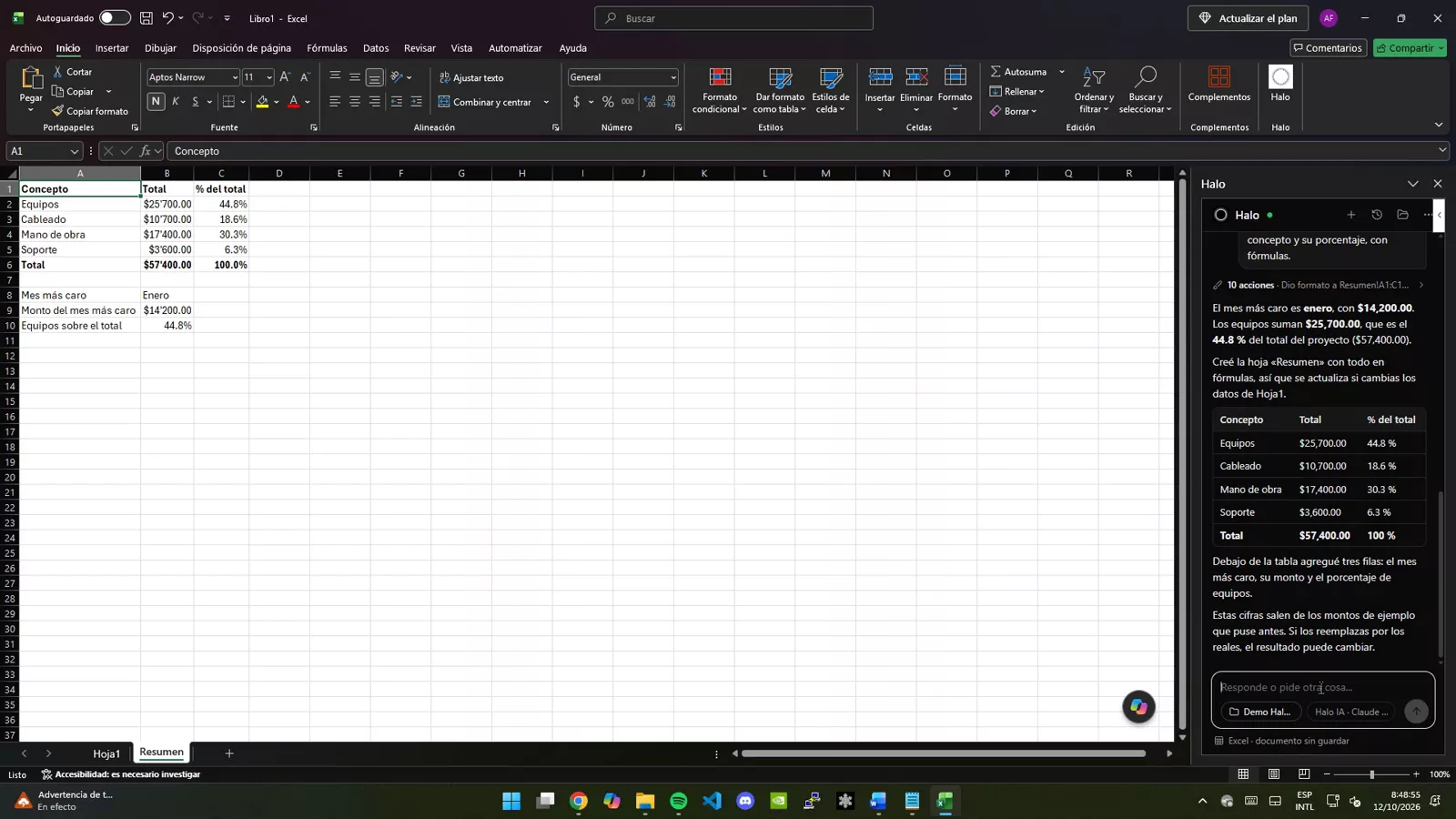
Builds sheets with currency format, totals computed with real formulas and a summary sheet with percentages.

03 — PowerPoint

Presentations with your file’s theme.

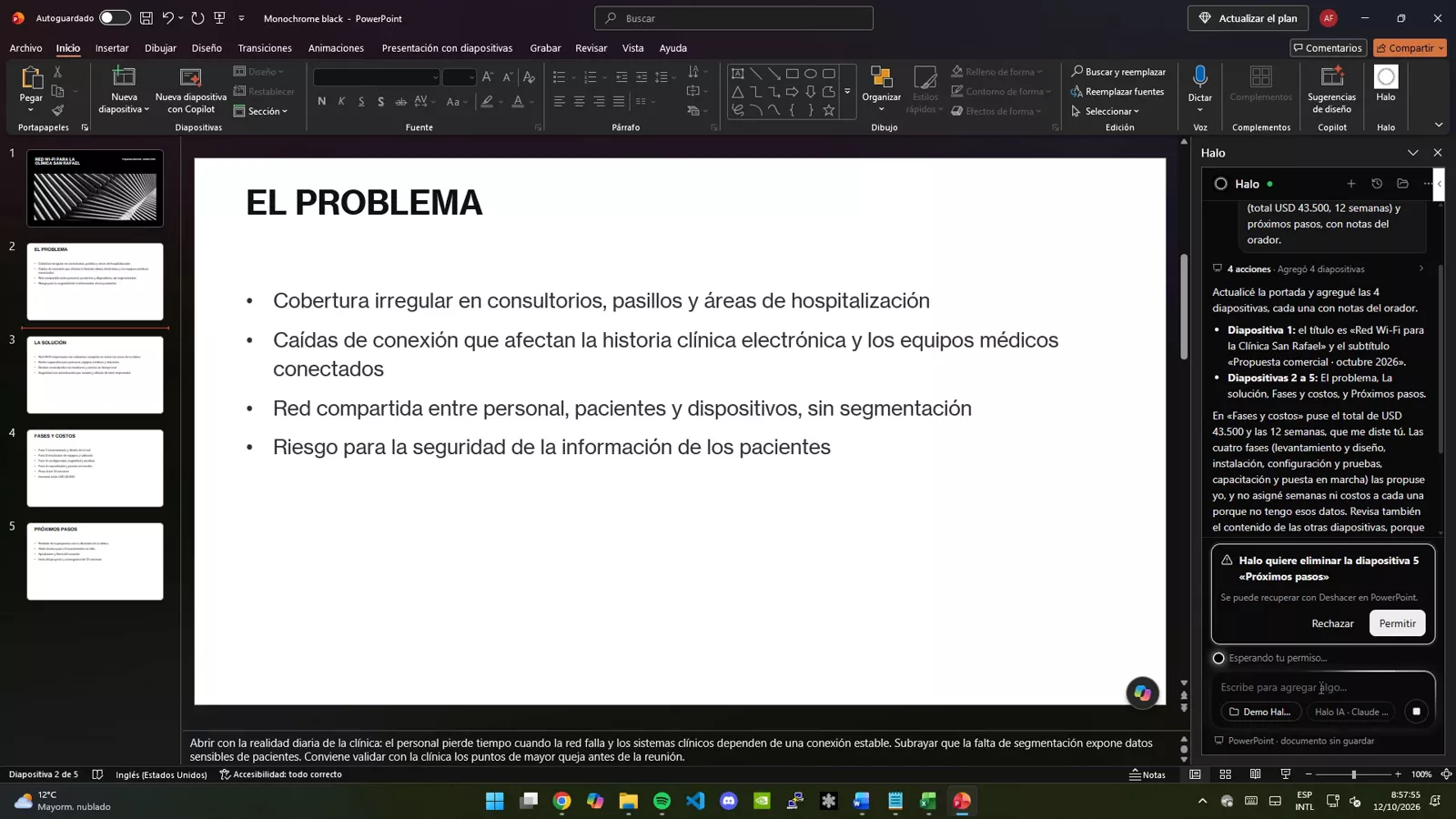
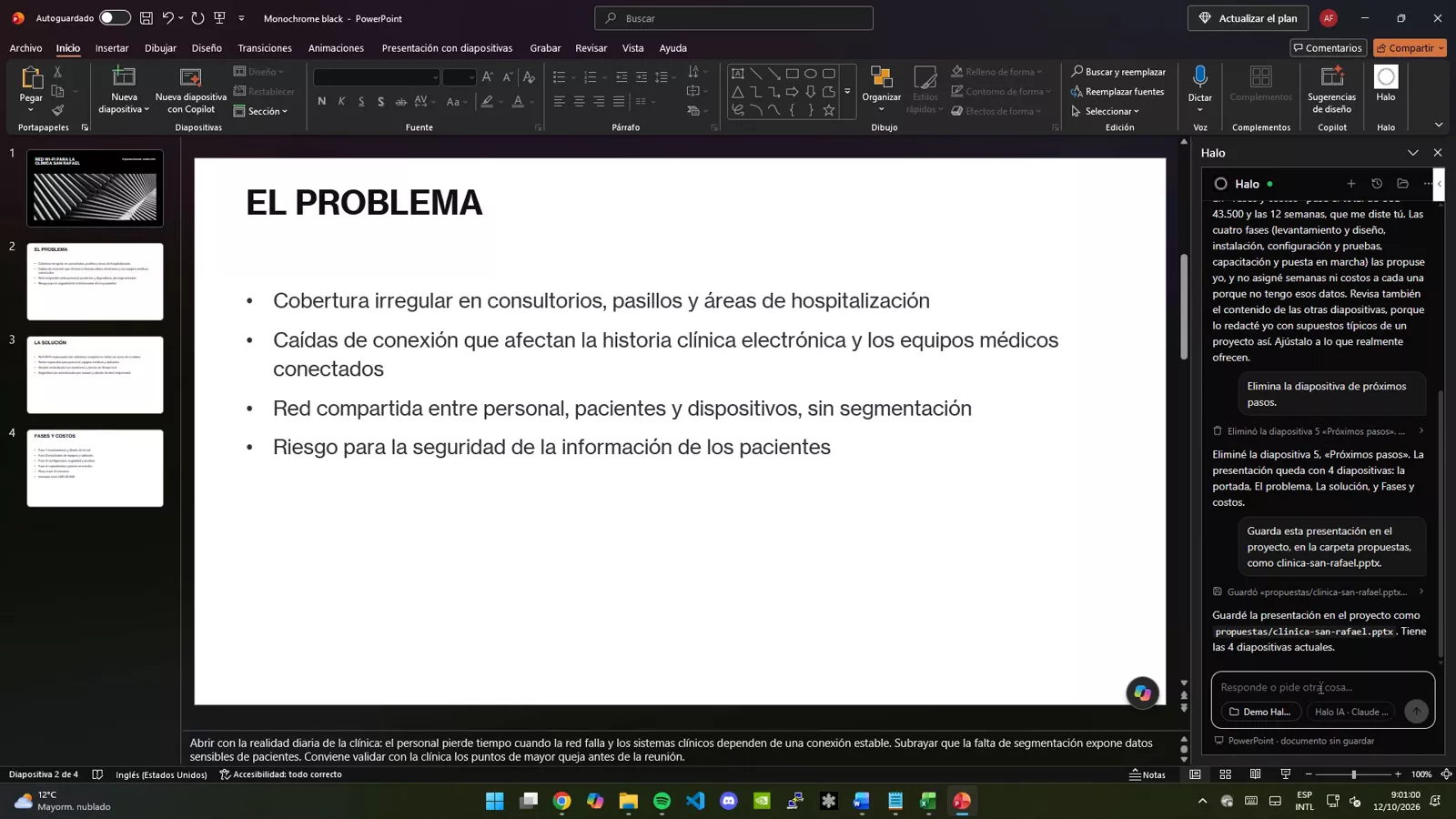
Creates slides and speaker notes that follow the design, and asks permission before deleting a slide.

04 — Chrome

Forms filled with data from your documents.

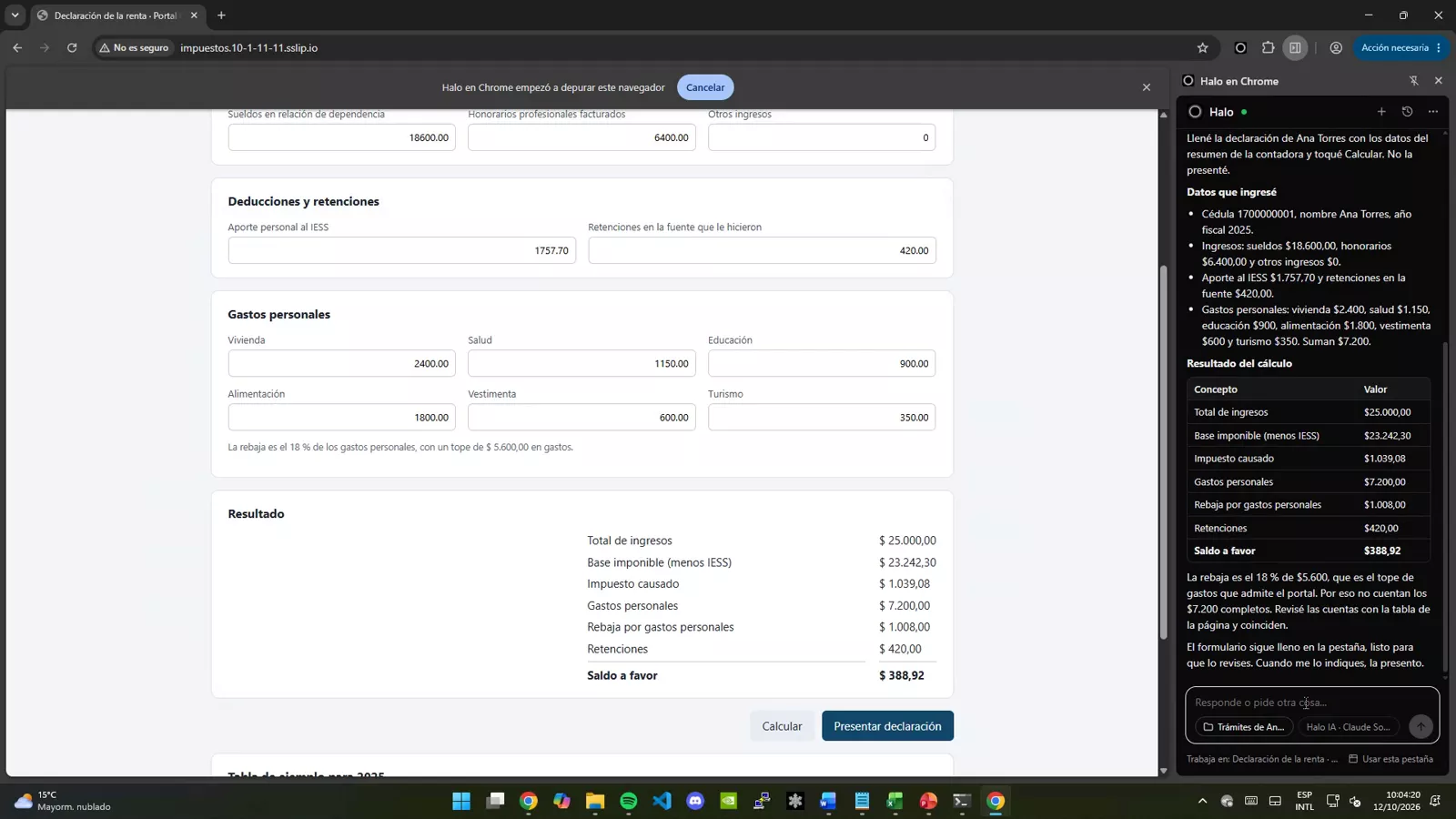
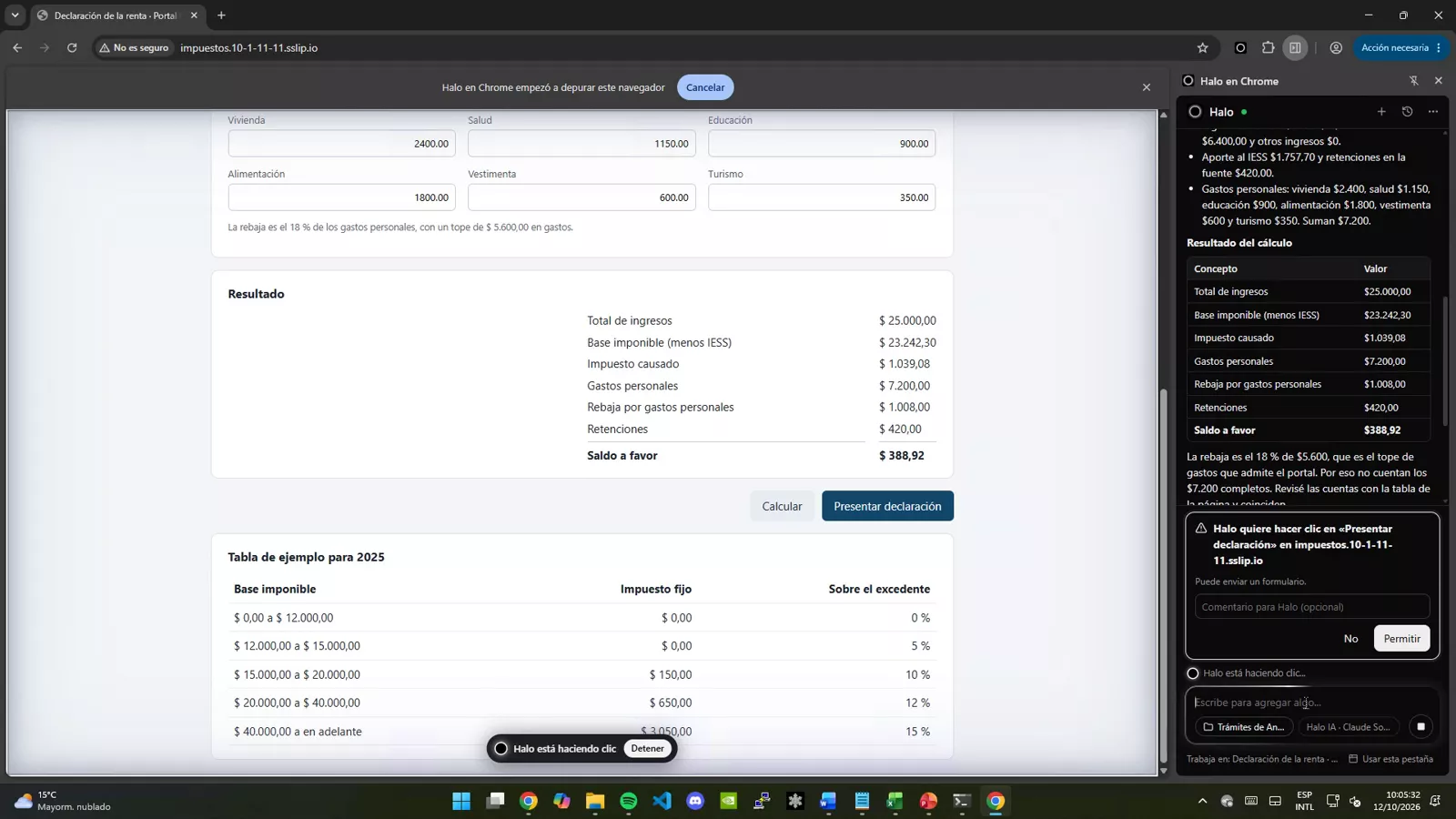
Reads a PDF, fills in the return and calculates the result. Before filing, it stops and asks for permission.

04 — Chrome

Issue and verify.

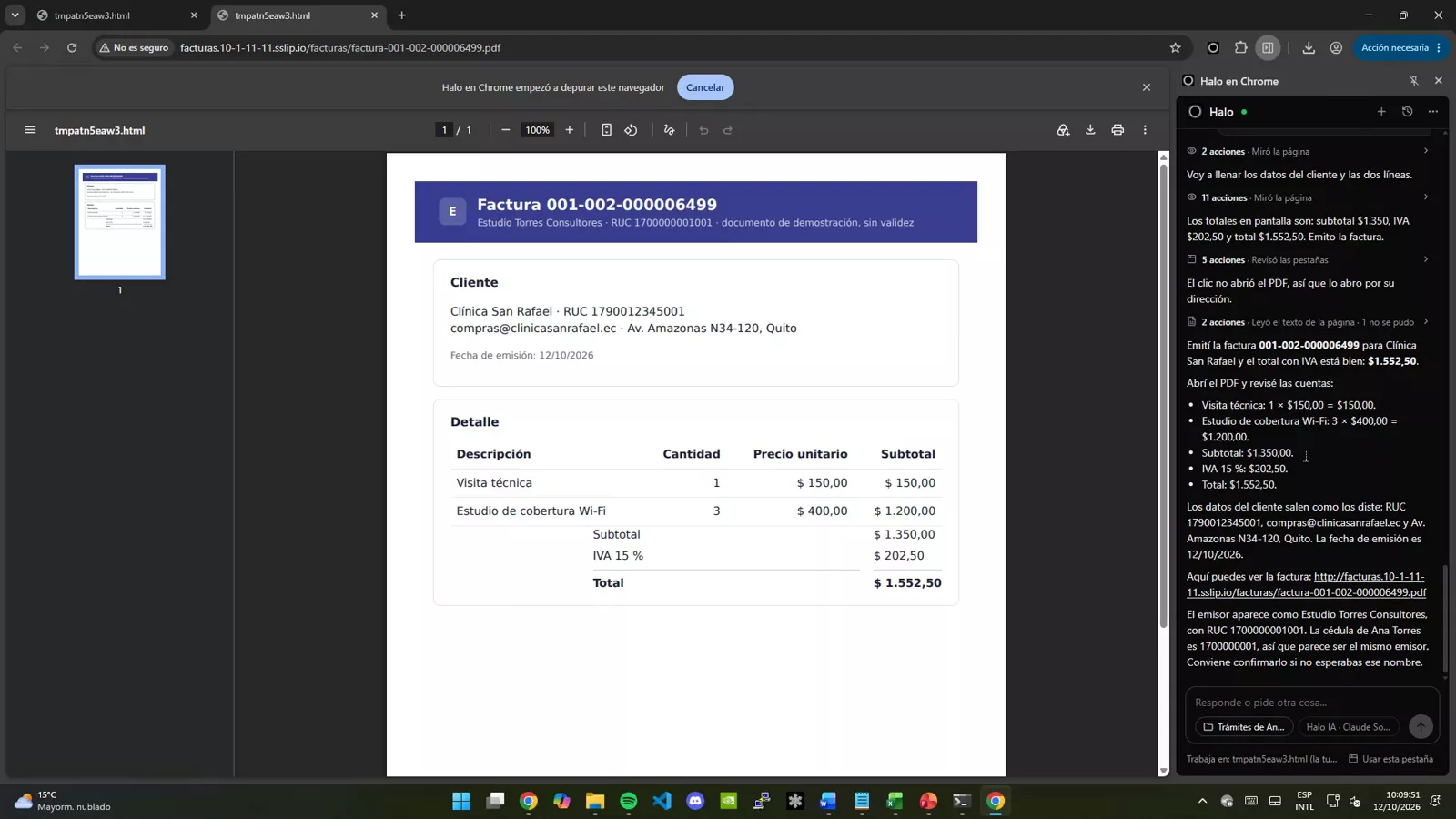
Issues the invoice, asks for confirmation before sending it and checks in the PDF that the total with VAT is right.

Your work, with AI, without switching tools.

Halo in action

Two demos, end to end.

Recorded on a Windows PC: Halo inside Word, Excel and PowerPoint, and Halo in Chrome filling in forms with data from a document.

Halo in Office

2 min 12 s · Word, Excel and PowerPoint

  1. First you pick the project (or create one), then the model.
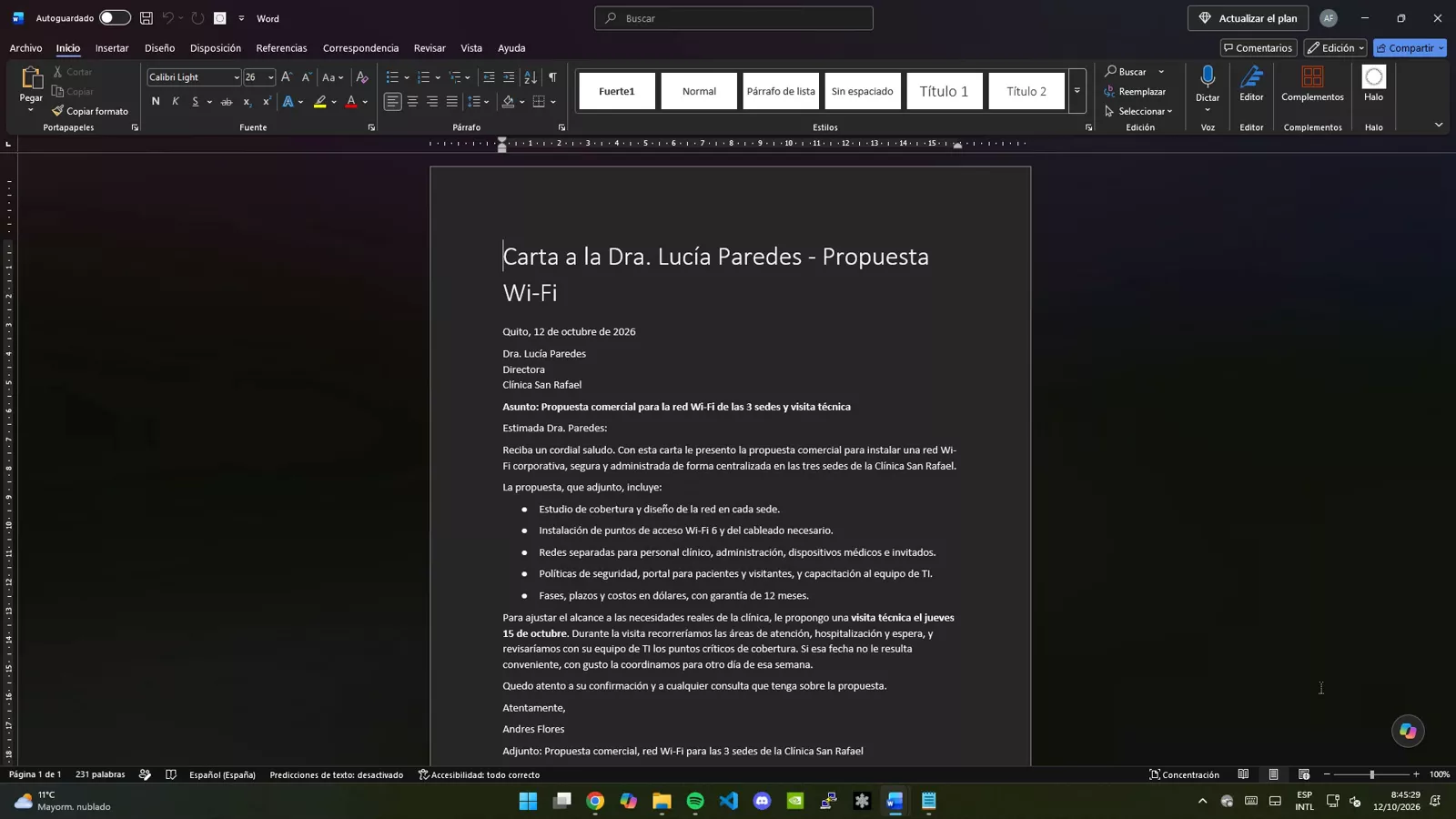
  2. Word: writes a proposal with a list and a table, with track changes; shortens the introduction, leaves a comment and drafts a letter in another window.
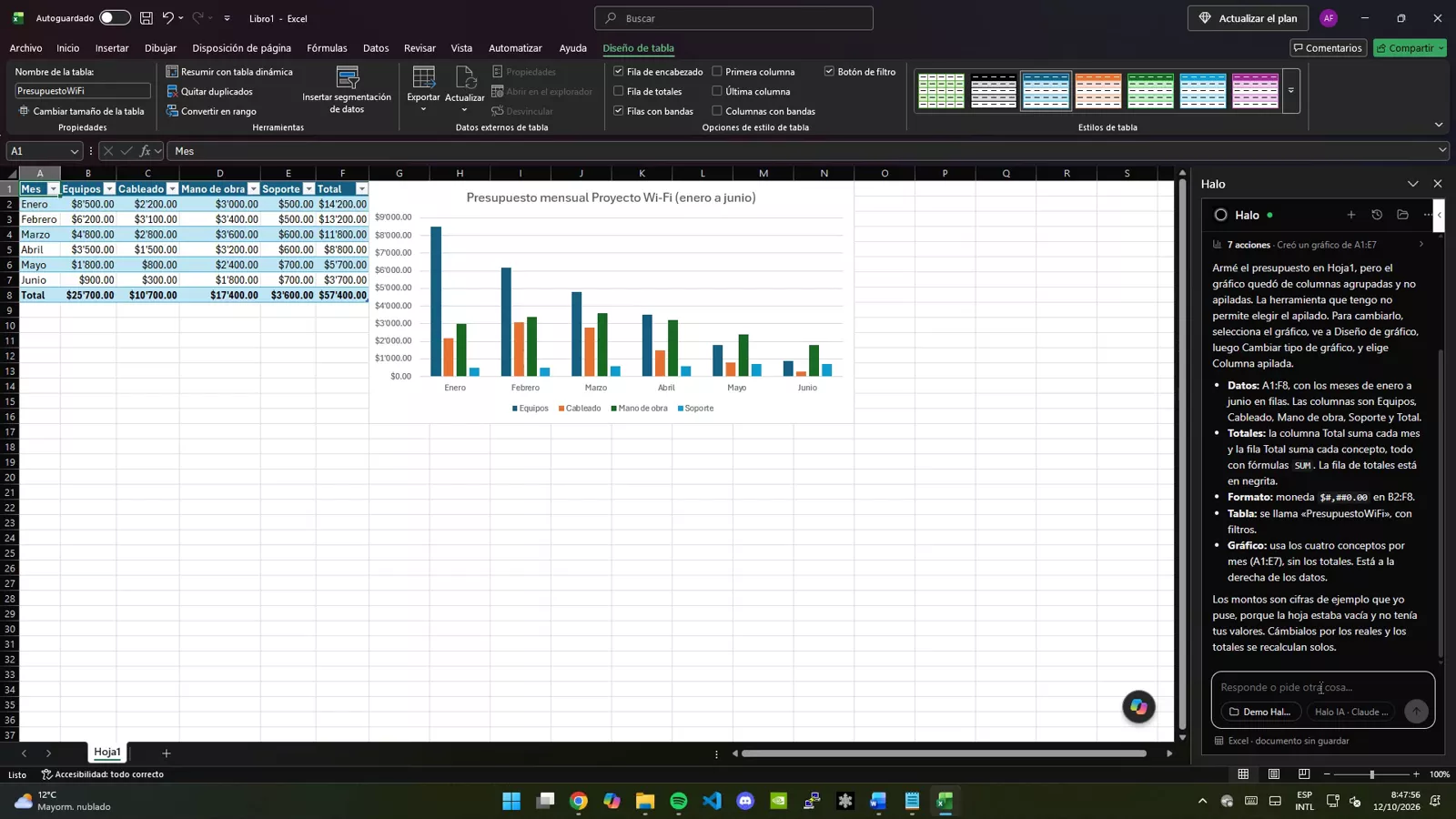
  3. Excel: builds a budget with formulas, currency format, a table and a chart, plus a summary sheet with percentages.
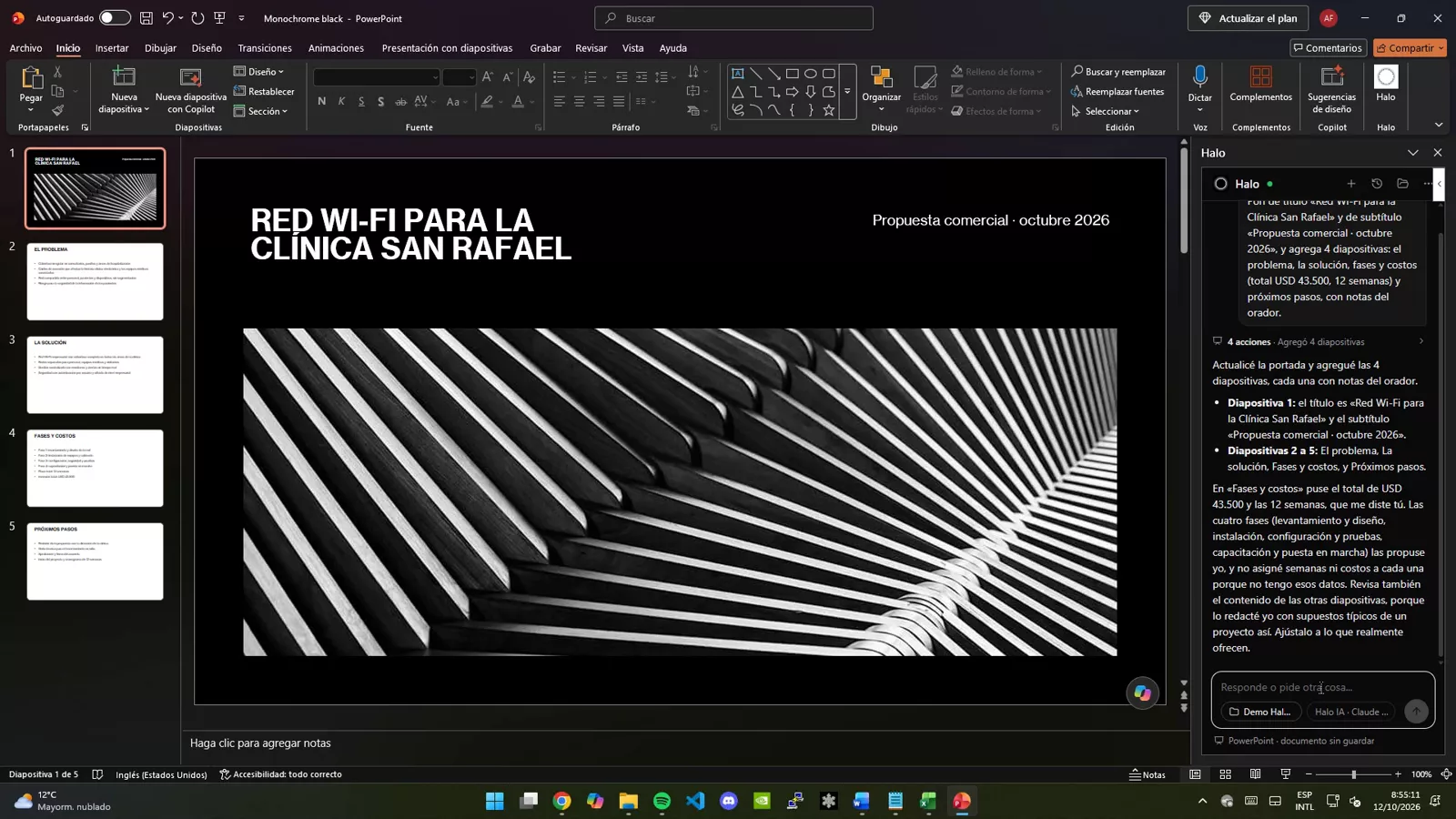
  4. PowerPoint: builds the deck with the file theme and speaker notes, asks permission before deleting a slide and saves it to the project.
Halo in Chrome

1 min 21 s · forms, PDF and invoicing

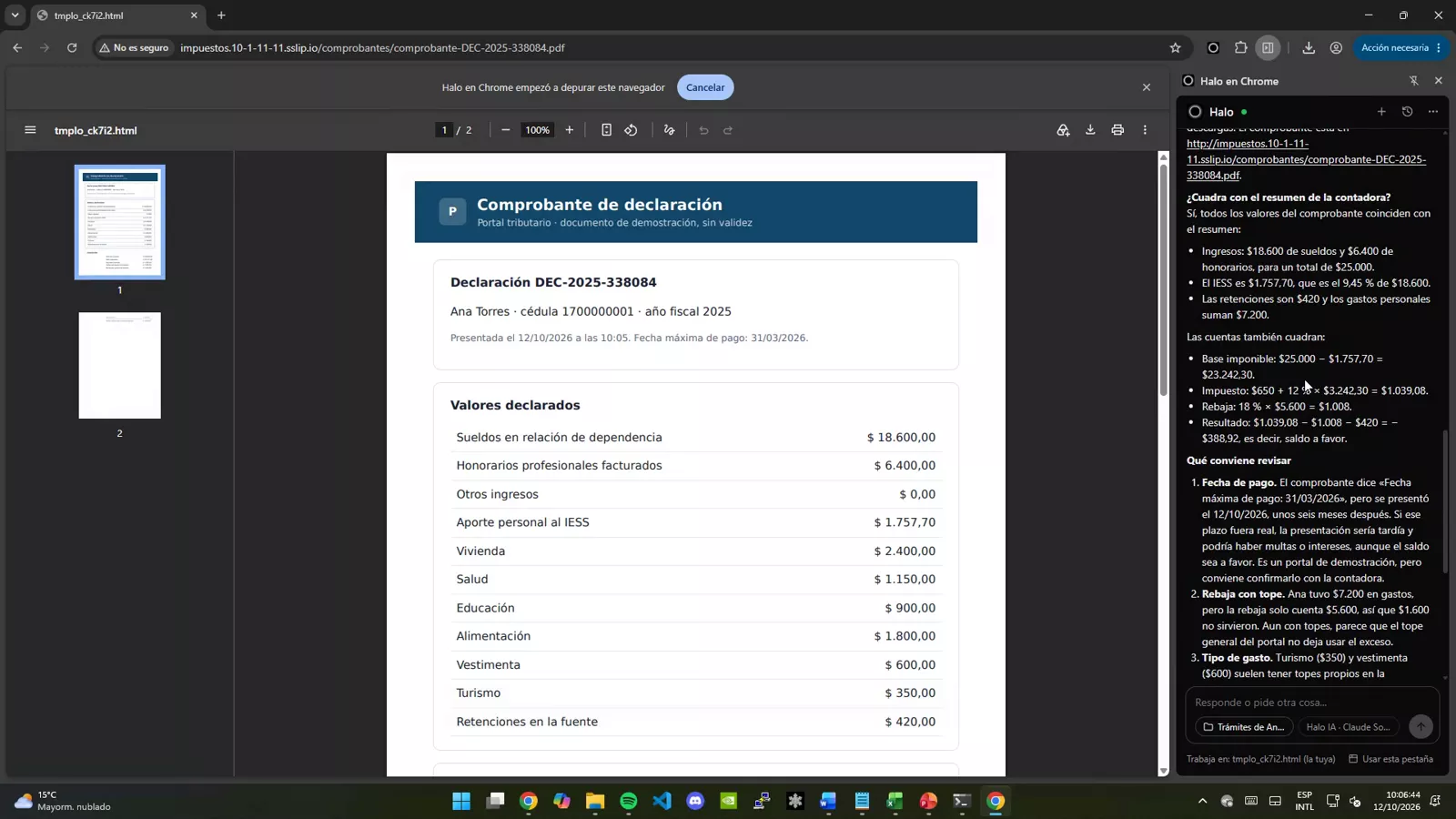
  1. Reads the accountant’s PDF summary and fills in the income tax return with that data; calculates the refund.
  2. Asks permission before filing, downloads the PDF receipt, reads it and checks whether it adds up and what to review.
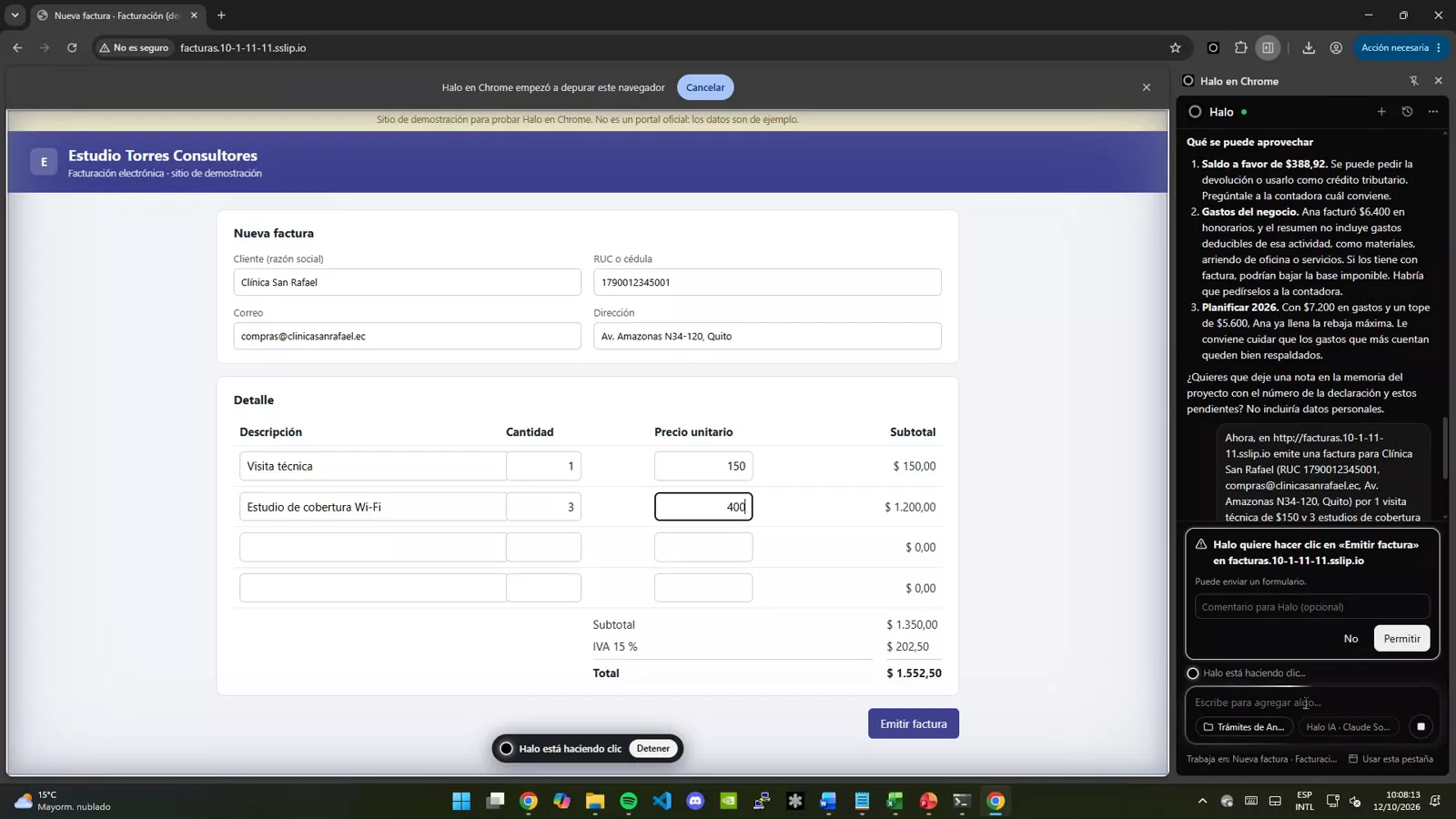
  3. Issues an invoice, asks permission before sending it and checks in the PDF that the total with VAT is correct.

The tax and invoicing sites are demos with fictitious data. Waiting times while the assistant works are sped up, as shown in the video. The voice-over is synthetic.

Halo

Halo screenshots

Halo as a product: the web dashboard, Halo in Office and Halo in Chrome. Tap an image to see it full size.

Halo on the web

The dashboard where you assign tasks to agents, follow them live and see AI usage across the company.

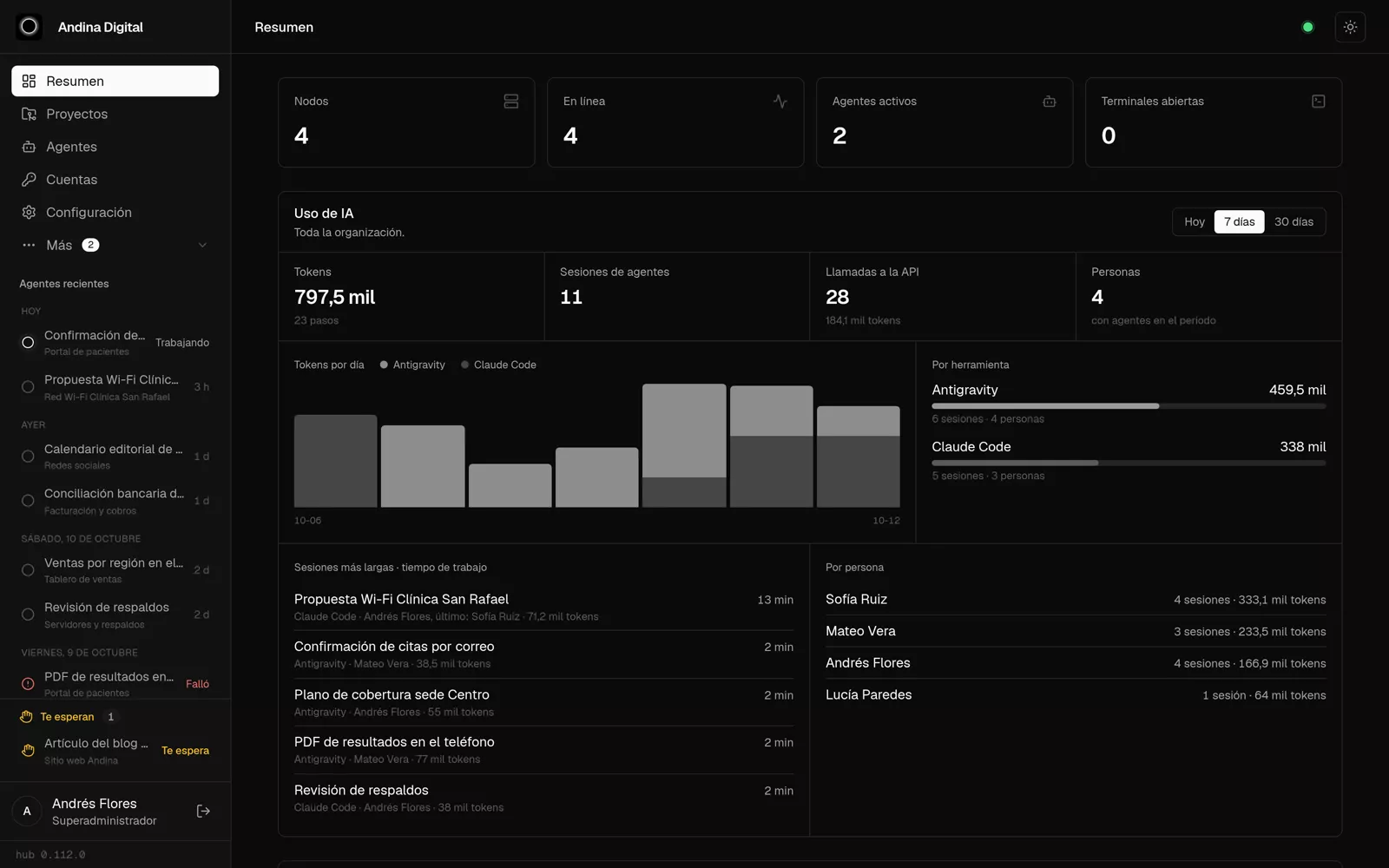
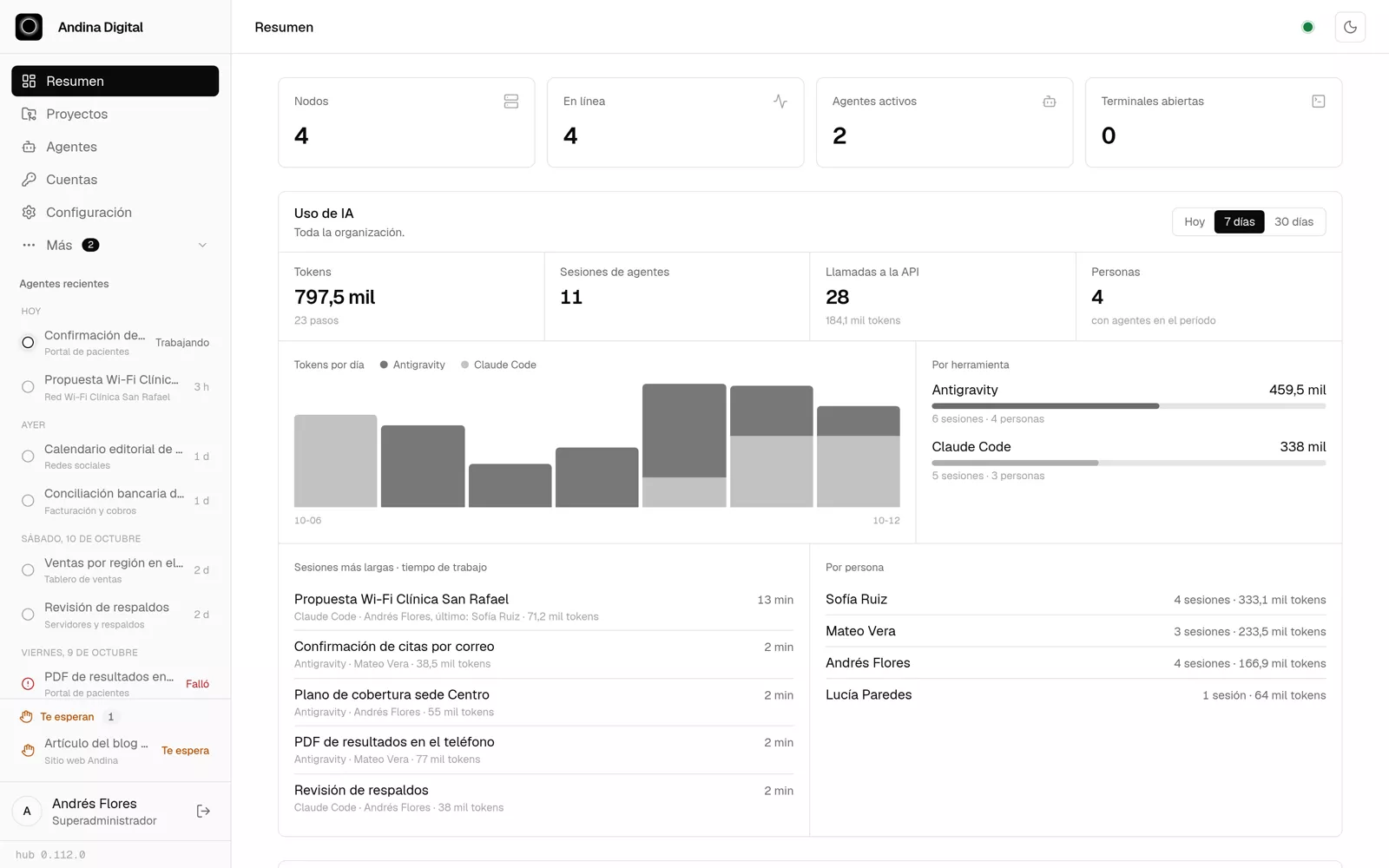
Overview: servers, active agents and company AI usage
Overview in light mode
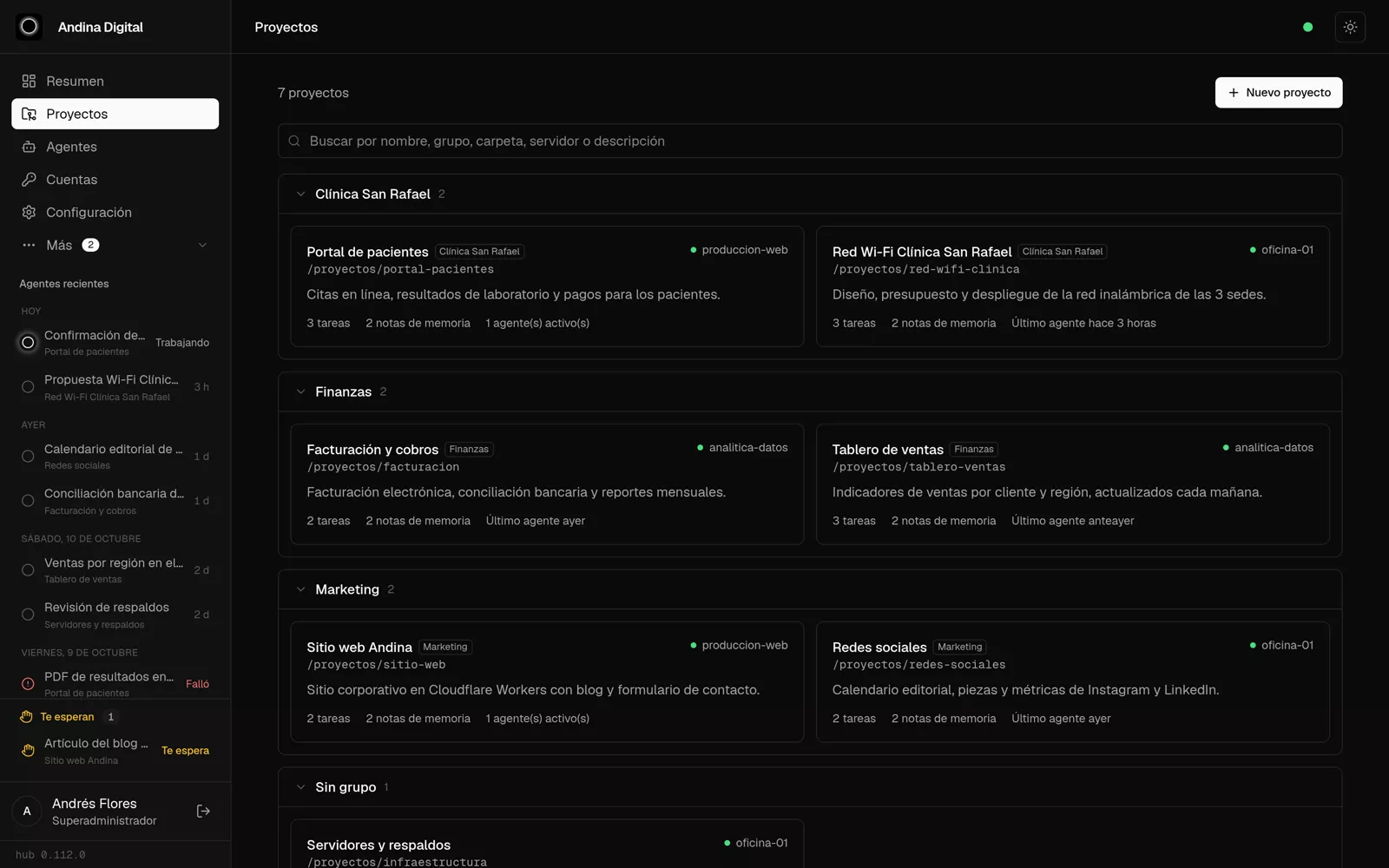
Projects grouped by client or area
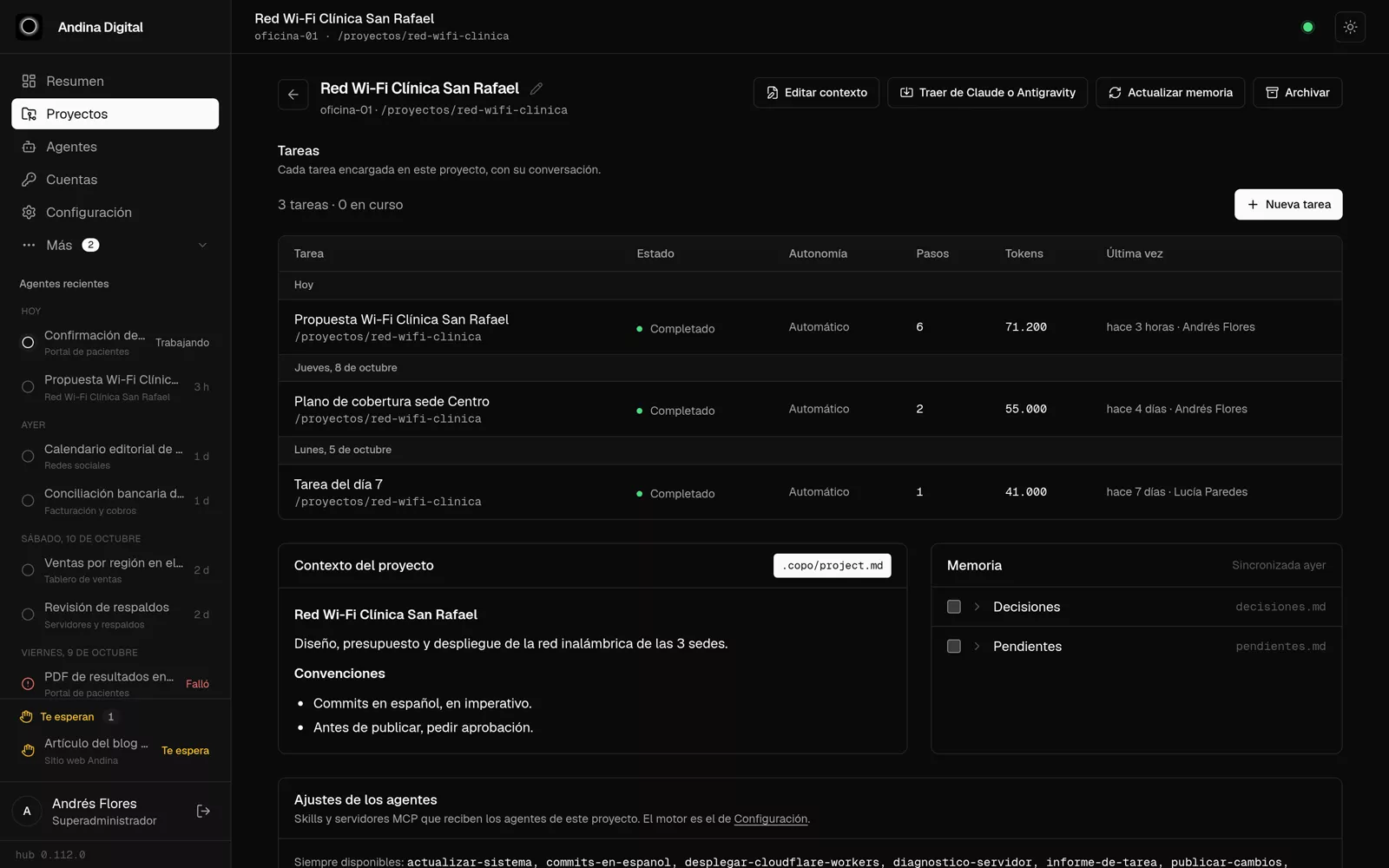
A project: its tasks, context and memory
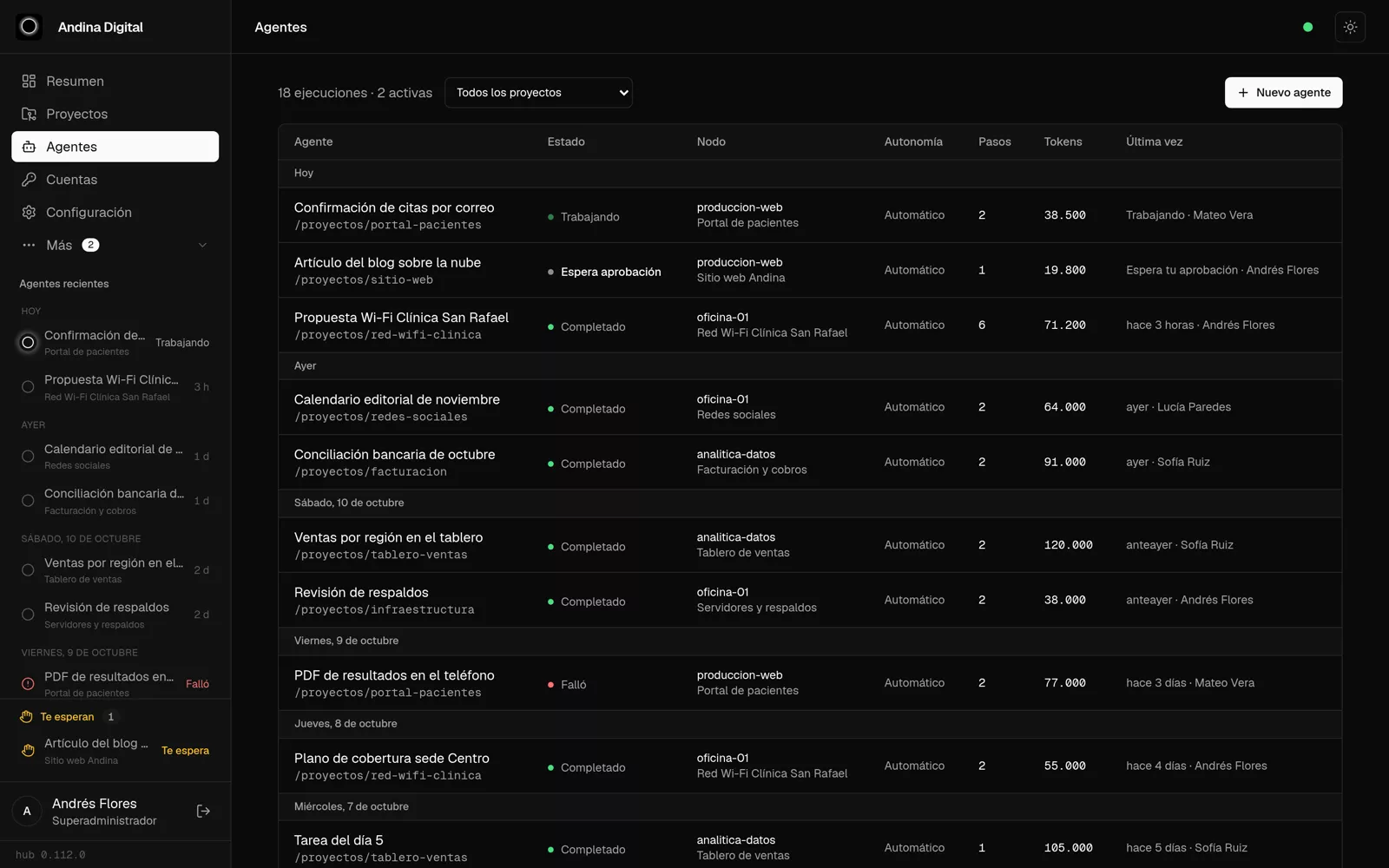
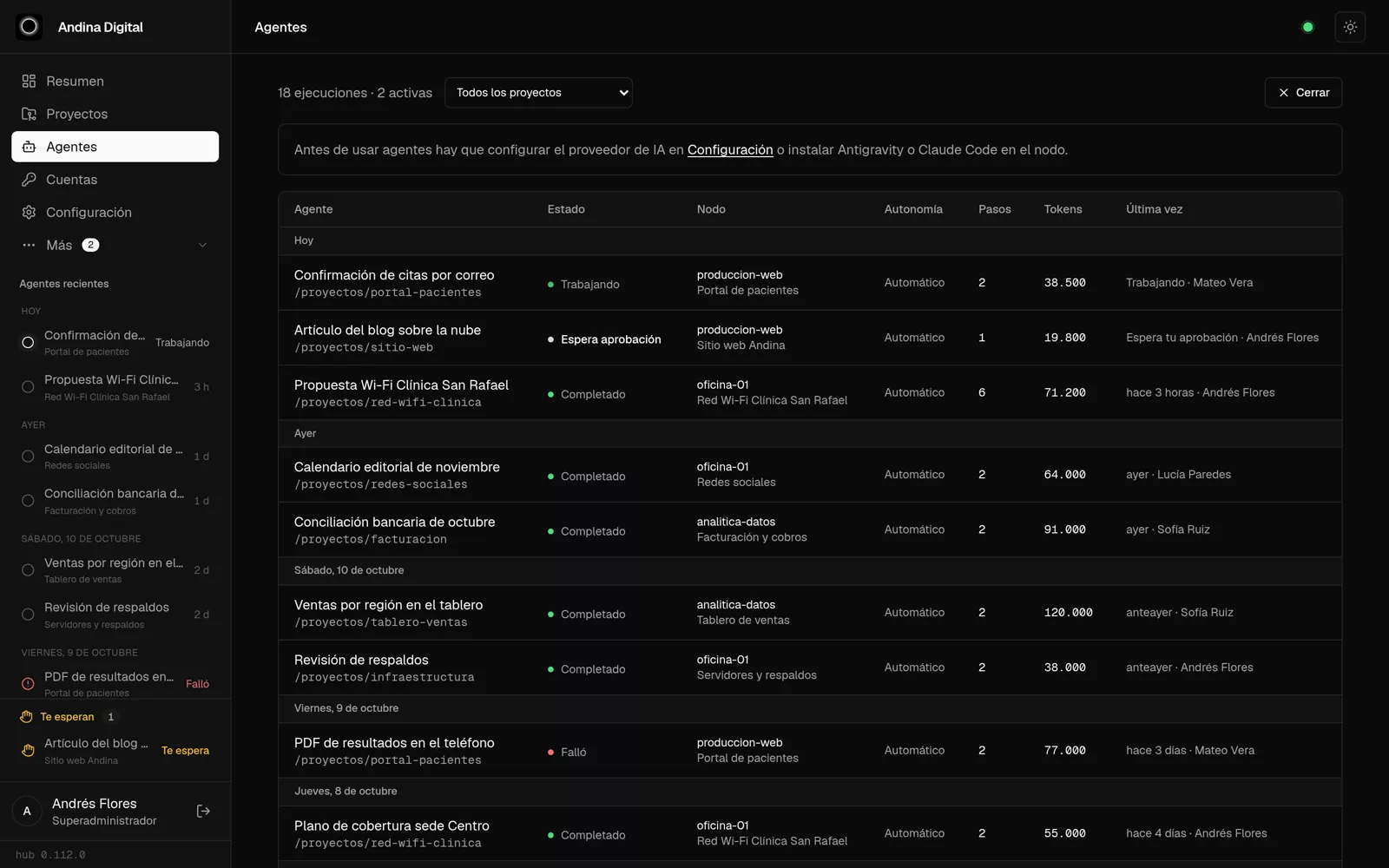
Agents: who is working, what awaits approval and what is done
Assigning a new task
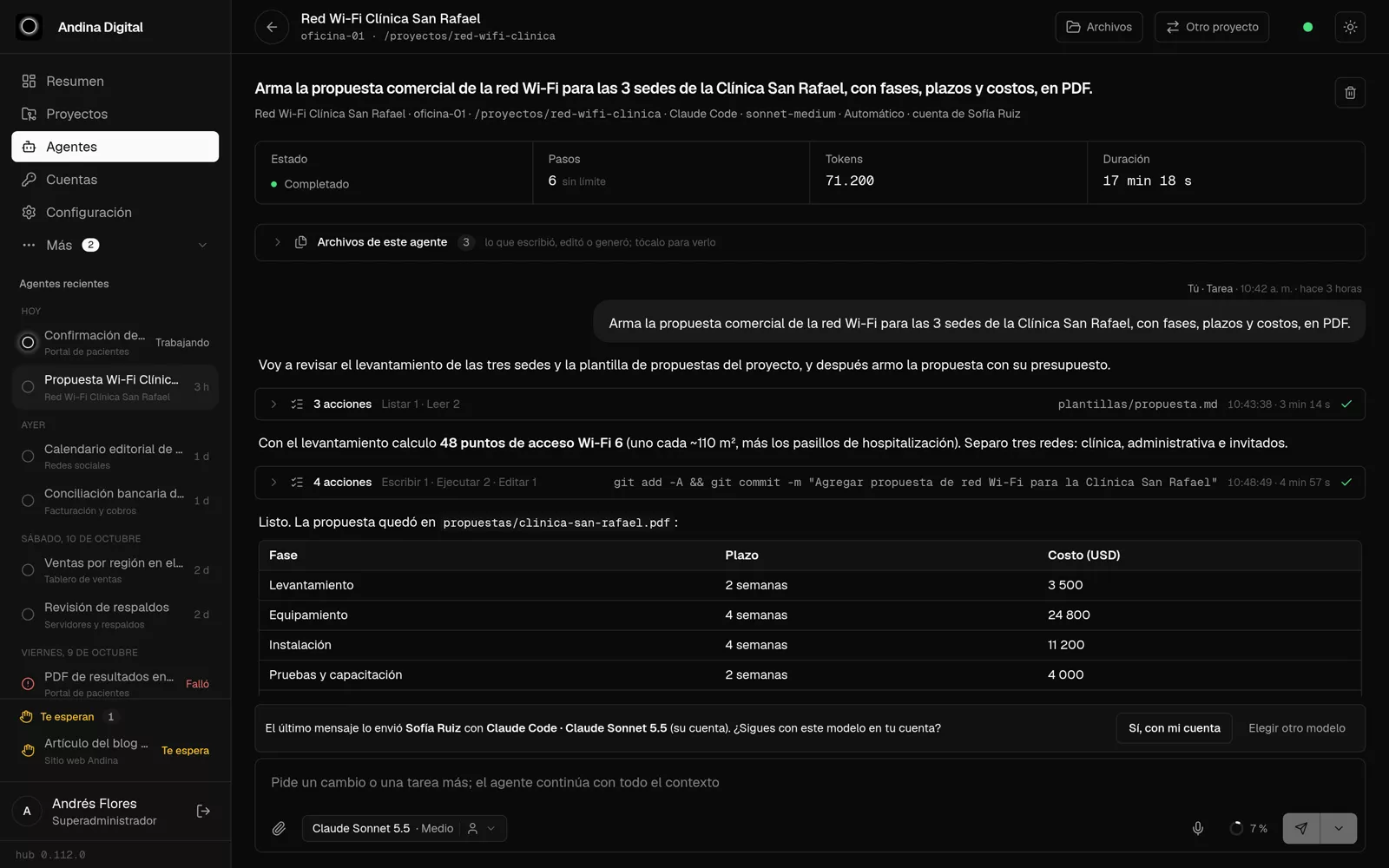
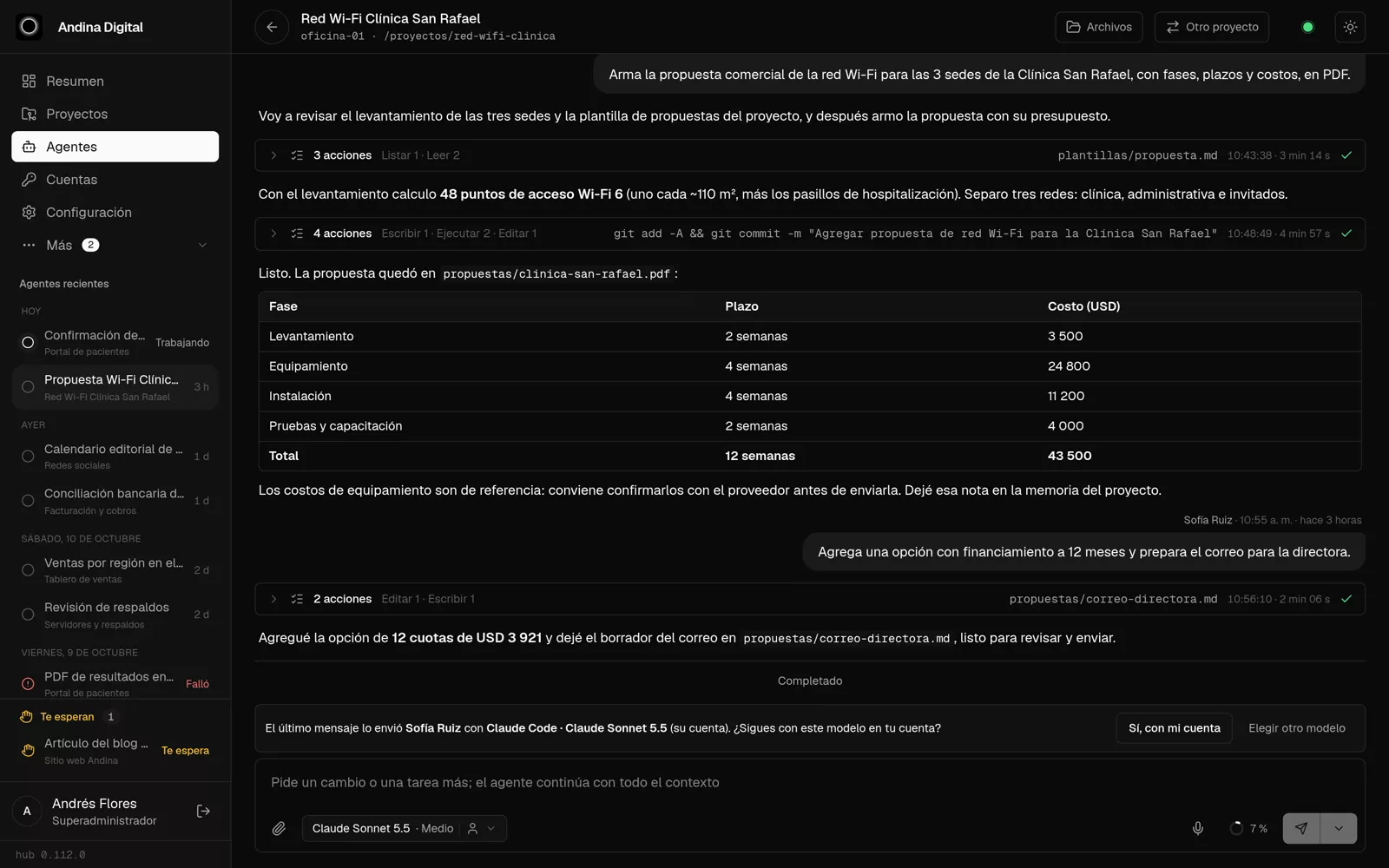
An agent: the task, its progress and what it did
The answer with its table and the team conversation
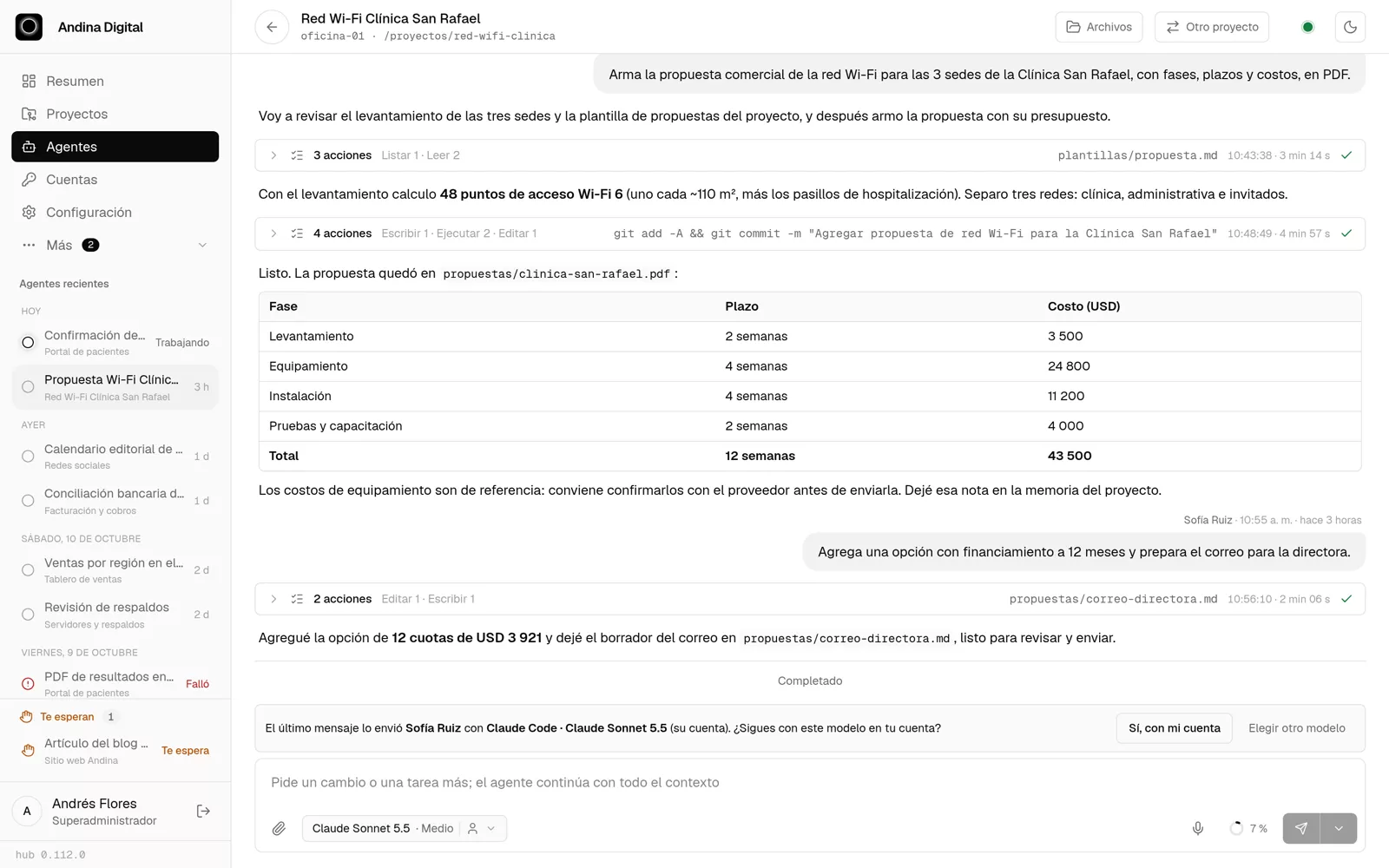
The same conversation in light mode
An agent working live
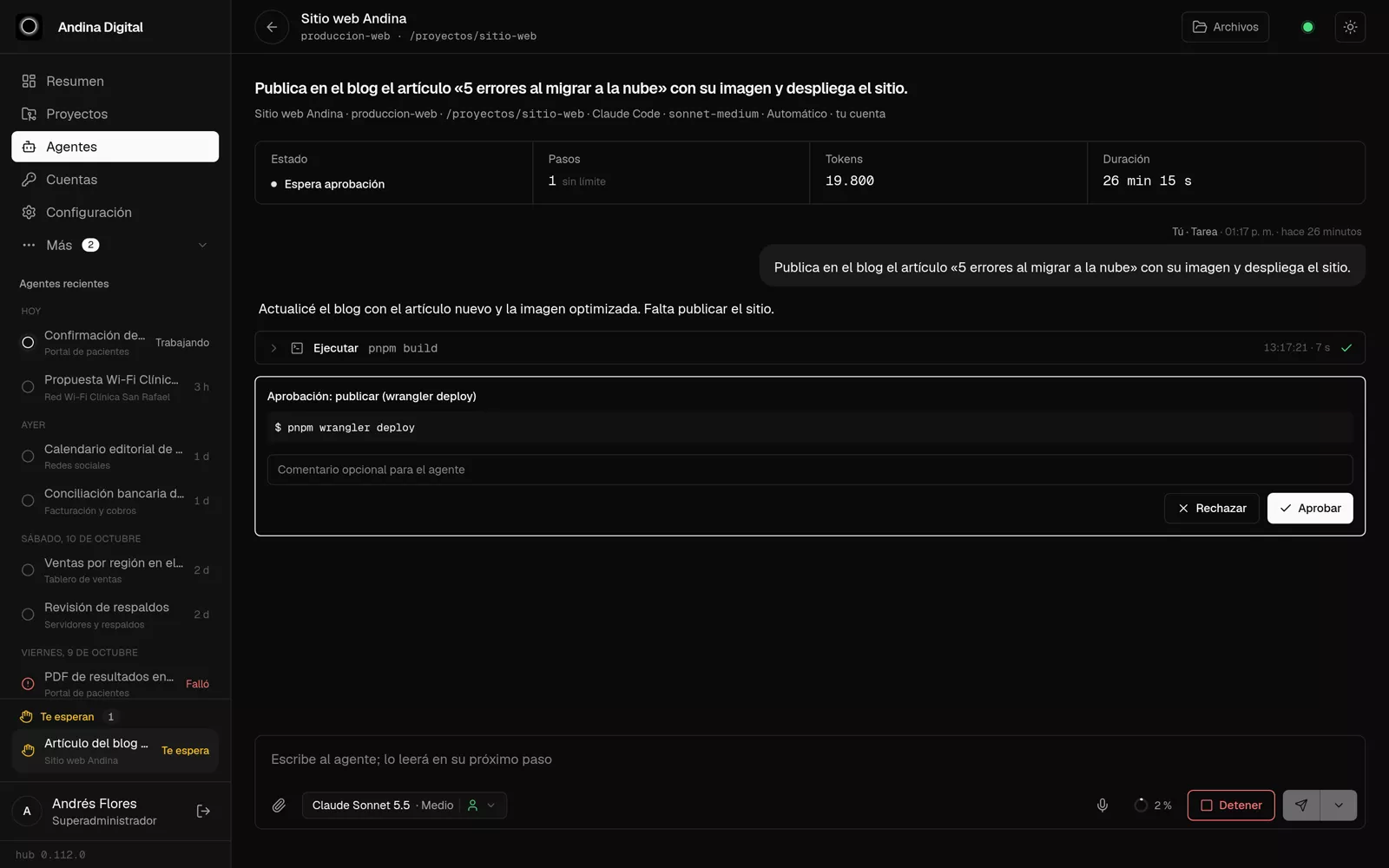
Publishing asks for approval
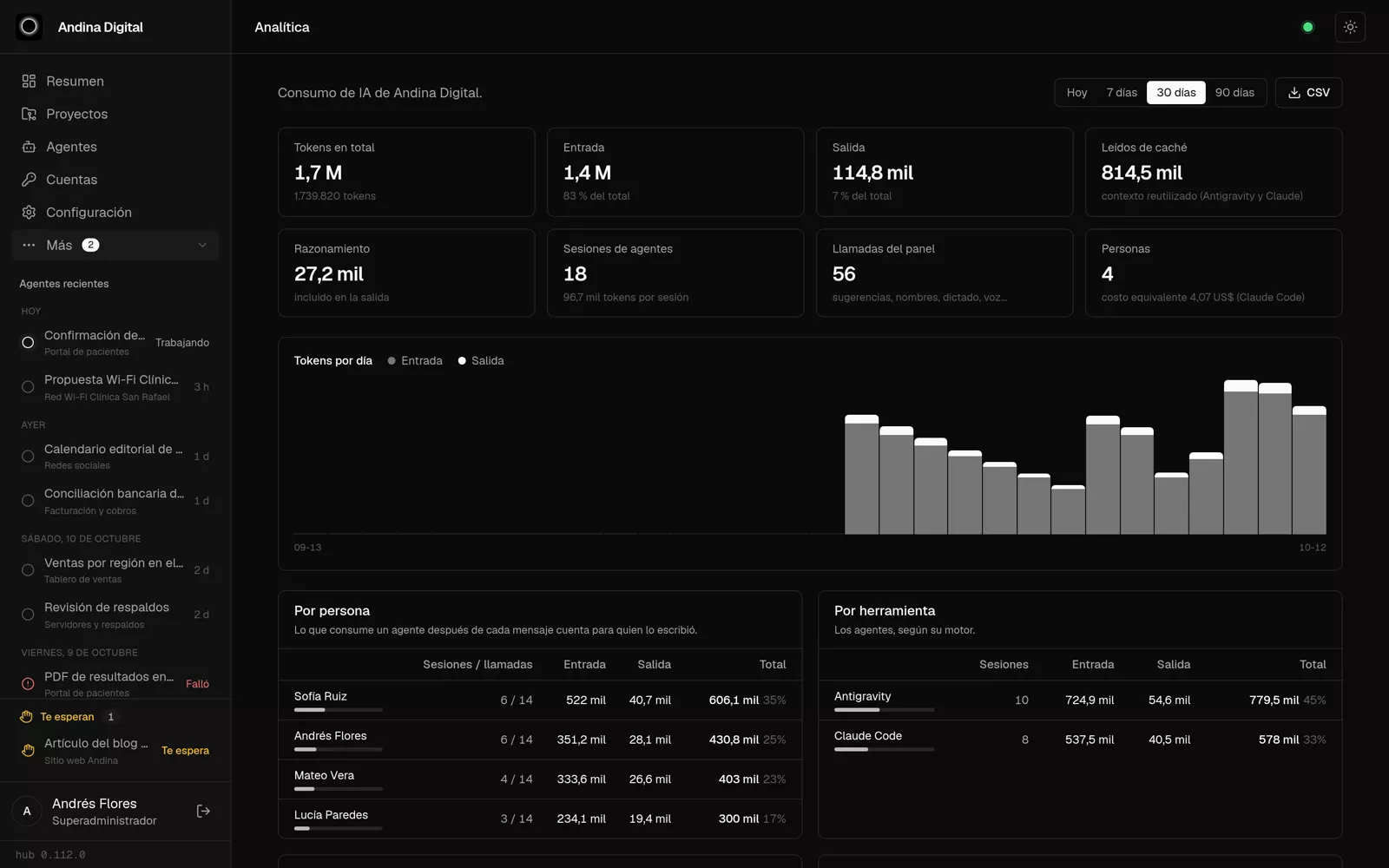
Analytics: usage by person, tool and model
Scheduled tasks
Scheduled tasks
On the phone
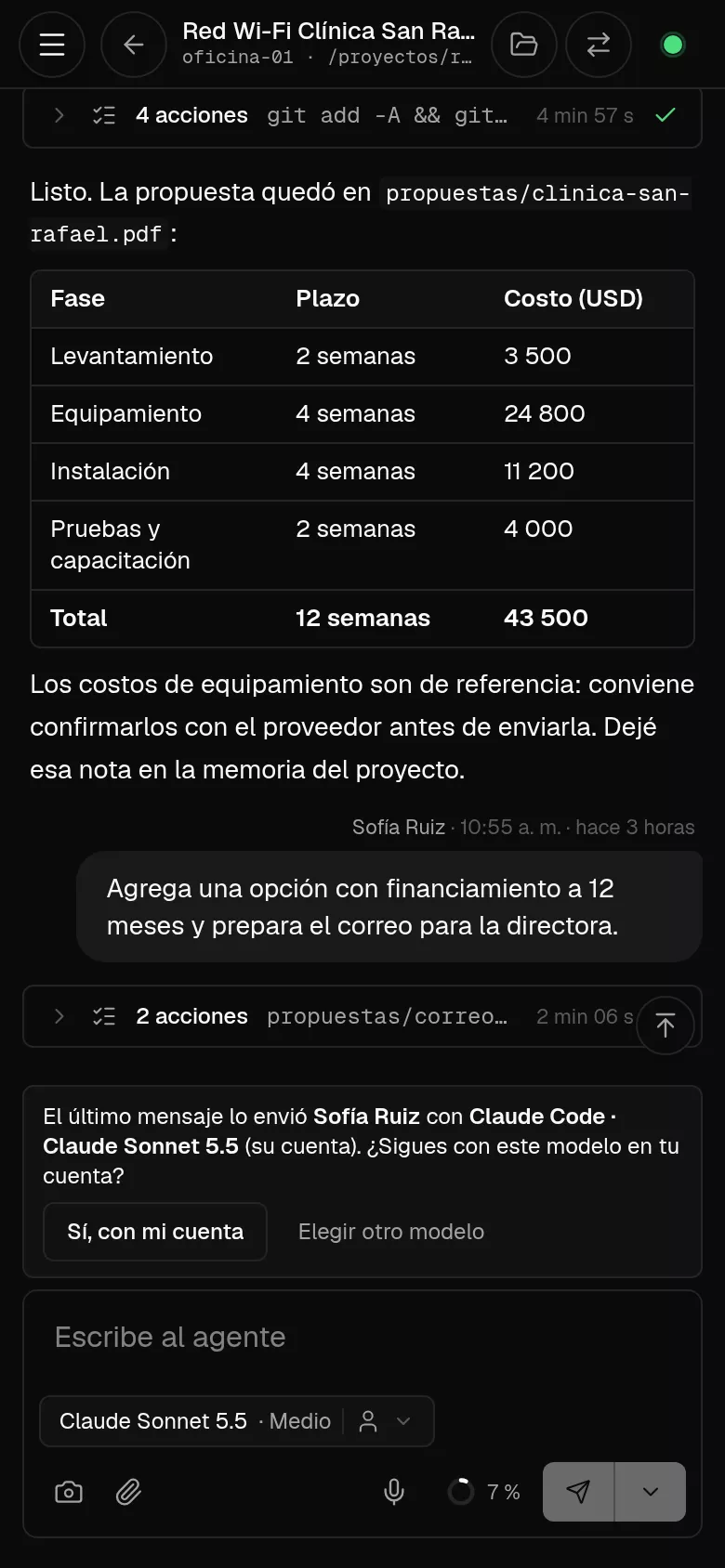
On the phone

Halo in Office

A panel inside Word, Excel and PowerPoint that writes, calculates and builds decks with the context of your projects.

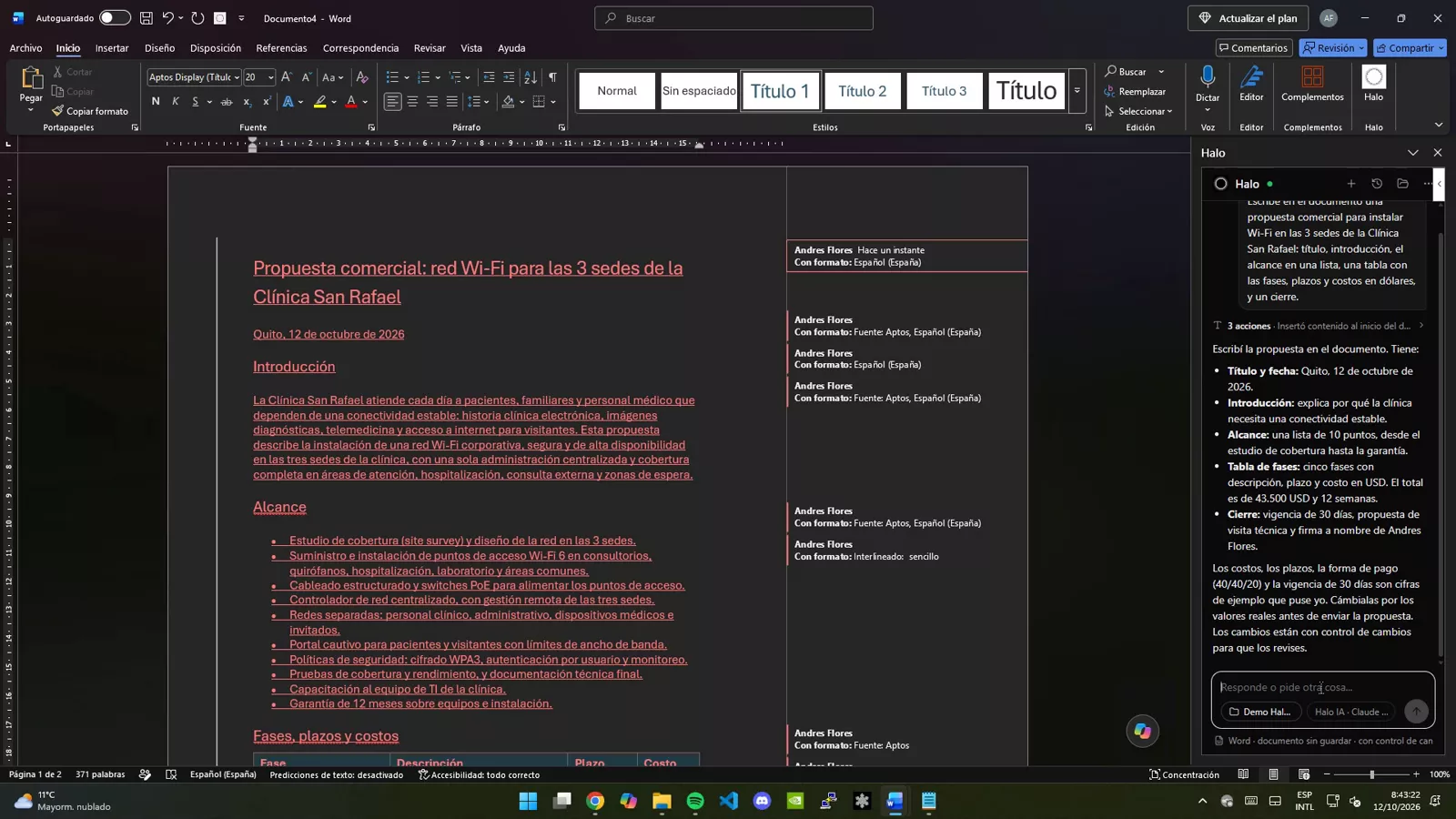
Word: a complete proposal, with track changes
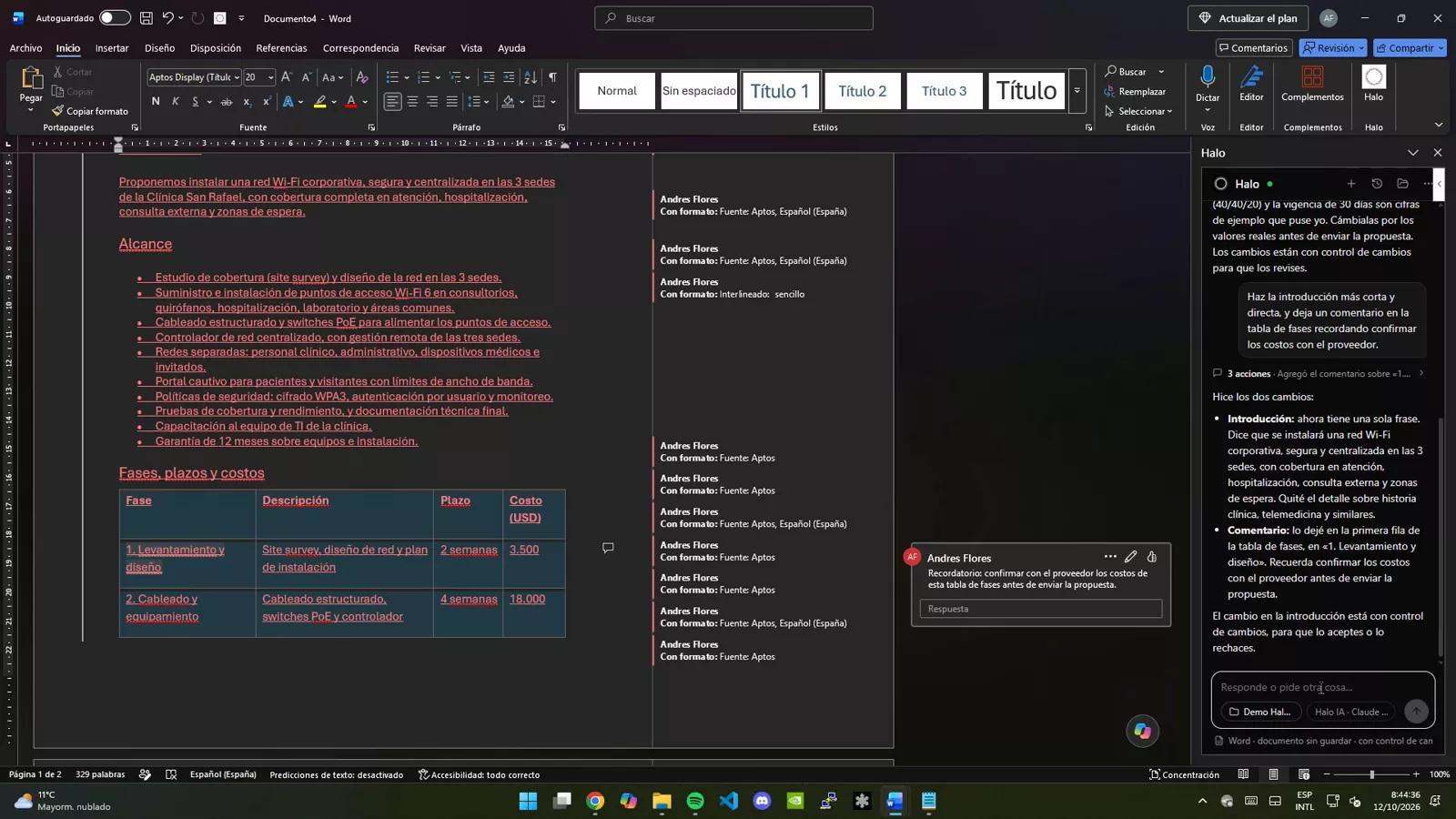
Word: edits and leaves comments
Word: creates new documents
Excel: budget with formulas, table and chart
Excel: analysis and summary with percentages
PowerPoint: the deck with the file's design
PowerPoint: sensitive actions ask first
Saving and opening project documents

Halo in Chrome

An assistant in your browser that fills in forms, reads PDFs and handles paperwork, and asks before submitting.

Fills in a tax return with data from a PDF and calculates the result
Asks for permission before filing it
Reads the PDF receipt and analyzes it
Fills in an invoice and asks before issuing it
Checks the issued invoice in PDF

Dashboard screenshots use a fictitious company ("Andina Digital") with sample data; Office and Chrome ones come from recordings on a Windows PC with demo sites and data. No real clients or data appear.

How it works

Built to delegate without losing control.

  1. 01

    Projects with context

    Every conversation belongs to a project: Halo uses its documents and saves what it produces there, so work continues in any app.

  2. 02

    The model you choose

    Pick the AI model for each task. Halo works with the open document, not with copies pasted into a chat.

  3. 03

    Sensitive actions ask first

    Before filing, sending or deleting, Halo stops and asks you. Changes in Word stay under track changes.

Want Halo in your company?

We’ll demo Halo with your own documents and set it up for your team.