

Secure networks: the foundation nobody sees
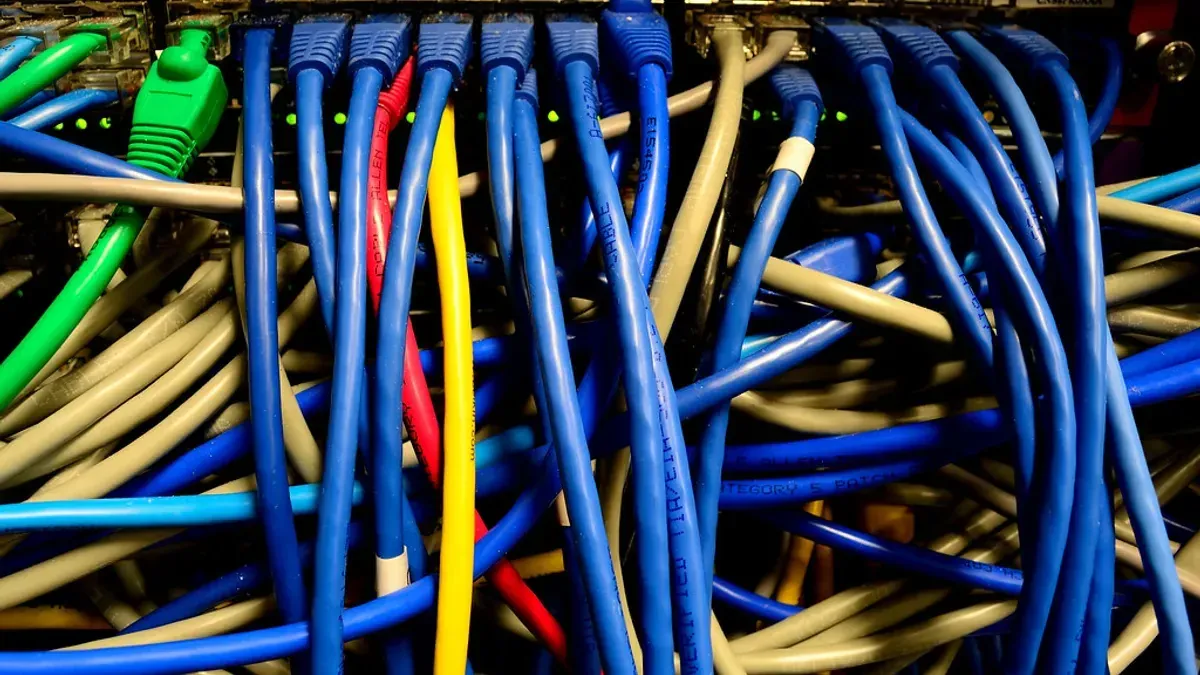
A well-designed network is invisible: it simply works. Nobody notices it… until it fails. Behind every stable video call, every checkout payment and every recording camera there is an infrastructure foundation most people never see. And that foundation is also your first line of defense.
Segmentation: Don't Put Everything on One Network
The most frequent mistake in growing companies is a single flat network where computers, cameras, printers, guest WiFi and servers all coexist. If one device gets infected, the problem spreads to everything.
The solution is segmentation: separating traffic into VLANs by function. That way guest WiFi never touches your internal systems and an incident stays contained in its segment. Segmentation only works if there are firewall rules between segments: without them, VLANs only separate things on paper.
A Typical Segmentation
- Administration and servers.
- Workstations.
- Cameras and IoT devices.
- Guest WiFi, fully isolated.
A practical rule: each segment should only be able to talk to what it needs. Cameras, for example, need to talk to the recorder, not to the accounting computers.
Cabling Matters More Than You Think
A top-tier firewall is useless over improvised cabling. Certified structured cabling, tidy racks and documentation are what prevent the intermittent outages that are impossible to diagnose. A reliable physical base is what lets you grow without rebuilding everything each year. When planning, leave spare network points, use cable categories suited to what the network will need in the coming years and ask for a certification report for each point.
Remote Access Without Opening the Door to Everyone
Remote work and branch offices demand secure connections. A VPN encrypts traffic between sites and enables controlled remote access, instead of exposing services directly to the internet. Combined with a firewall with clear rules and multi-factor authentication, it sharply reduces the attack surface.
Best Practices That Make the Difference
- Change the default credentials on every network device.
- Keep firmware up to date.
- Document the topology and label every point.
- Monitor: you can't protect what you can't see.
What to Do: A Seven-Step Network Review
- Draw the map. List routers, switches, access points, servers and what is connected to what. Even on a sheet of paper, it beats nothing.
- Inventory the devices with model, firmware version and who administers them.
- Change default credentials and create personal administrator accounts, not a shared one.
- Separate guest WiFi from the internal network. It is the fastest, highest-impact change.
- Create the remaining VLANs and define which traffic is allowed between them.
- Close ports exposed to the internet and replace them with a VPN.
- Turn on logs and alerts on the firewall and key devices, and review the notices regularly.
Do this review once a year and whenever you move offices, add sites or add many devices. Keep the map and the inventory somewhere accessible and update them when you change something; outdated documentation stops being useful. If you depend on an outside provider, ask them to hand over the administrator credentials and the documentation of what was installed.
Common Mistakes
- Creating VLANs without firewall rules between them.
- Giving guests the internal WiFi password.
- Leaving old devices without updates, especially routers and cameras.
- Opening remote desktop or the router panel to the internet "to get out of a jam".
- Not backing up device configurations: if a switch fails, nobody remembers how it was set up.
- Unlabeled cabling, which turns every failure into a blind search.
When It Makes Sense and When It Doesn't
It makes sense to segment when you have cameras, network printers, visitors using your WiFi, several departments or customer data. It doesn't make sense to complicate the network with dozens of VLANs if you have five computers and a single router: three or four well-defined segments, strong passwords and up-to-date firmware are enough. Complexity nobody understands is also a risk. And if your network already has physical faults, such as damaged cables or rooms without ventilation, fix them before adding layers of security.
How We Approach It at SimCodec
We have deployed complete institutional networks (cabling, routers, switches, high-density WiFi and secure networks with VPN) for schools and educational institutes. We design for growth and put security front and center from the start, not as a later patch. Learn about our networks and structured cabling services, or write to us to review your current network.
What is network segmentation and why does it matter for a company?
Segmentation separates traffic into VLANs by function, such as administration and servers, workstations, cameras and IoT devices, and isolated guest WiFi. That way, if a device gets infected, the incident stays contained in its segment instead of spreading across the whole network.
Why does structured cabling matter so much for network security?
A top-tier firewall is useless over improvised cabling. Certified structured cabling, tidy racks and documentation prevent hard-to-diagnose intermittent outages and provide the physical base that lets you grow without rebuilding everything each year.
How do you secure remote access and branch offices for a company?
A VPN encrypts traffic between sites and enables controlled remote access instead of exposing services directly to the internet. Combined with a firewall with clear rules, it sharply reduces the attack surface.